Configuration
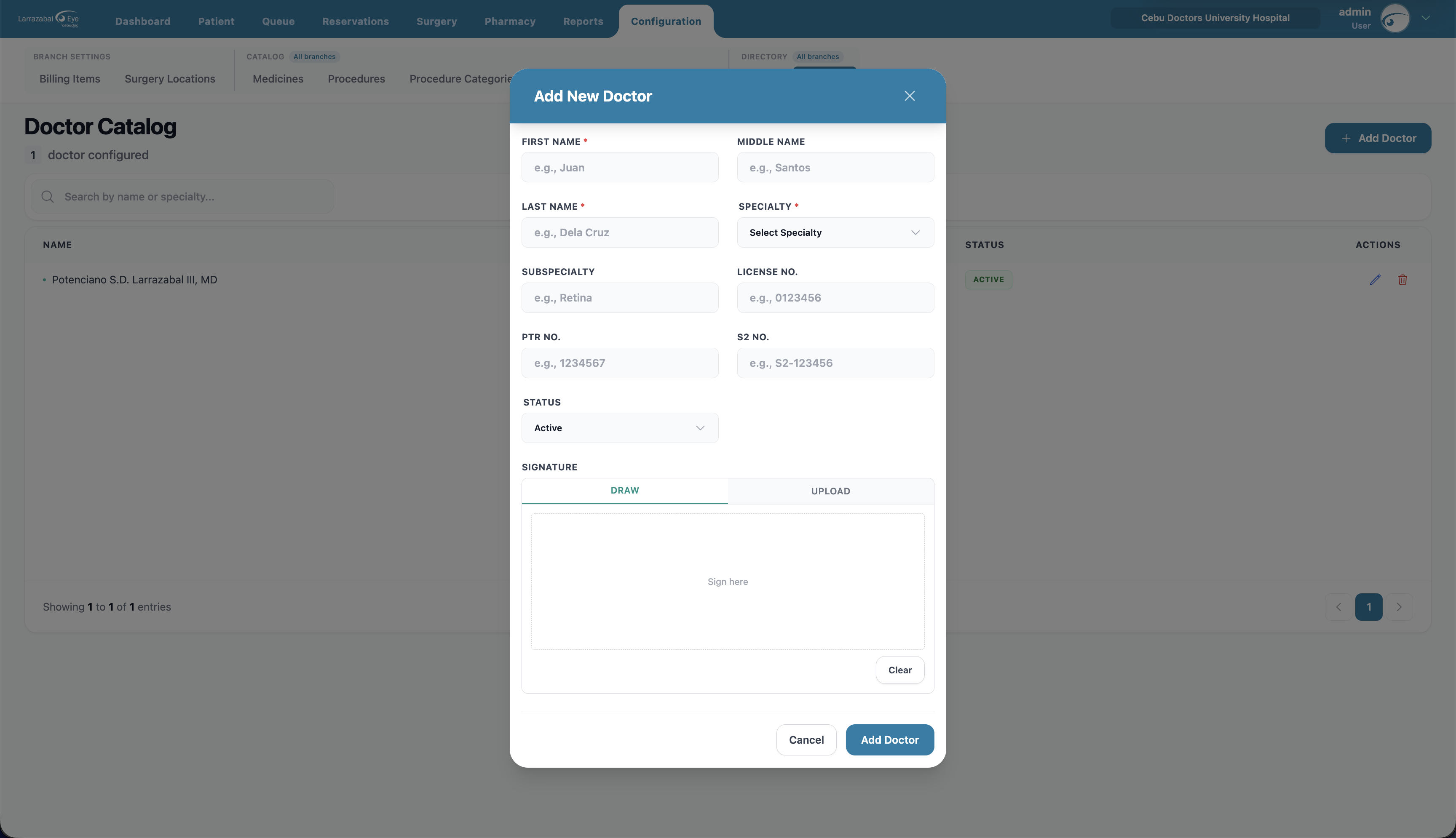
The Configuration tab is where administrators set up the reference data the rest of the system uses. The sub-tabs are grouped:
Branch Settings (this branch only)
- Billing Items — the per-branch price list (which catalog items this branch sells and at what price).
- Surgery Locations — operating rooms and surgical areas for this branch.
Catalog (shared across branches — marked with an All branches chip)
- Medicines — the medicine catalog.
- Procedures — surgical and medical procedures.
- Procedure Categories — categories that group procedures.
- Bill Items — the global catalog of billable items (services, supplies, fees).
- Bill Item Categories — categories that group bill items.
Directory (shared across branches — marked with an All branches chip)
- Payers — insurance companies and HMOs.
- Doctors — doctors and medical staff.
You only see the sub-tabs your account is allowed to manage. On a small screen the submenu collapses into a single dropdown.
Every configuration list works the same way: a search box at the top, a count of records, an Add … button, a table with a status badge, and pencil/trash icons on each row. Deleting always asks you to confirm ("Delete name — Are you sure…"), and a toast confirms the result.
Billing Items (per-branch pricing)
What this branch charges for items from the global Bill Items catalog. The header shows the configured-items count and an Add Billing Item button.
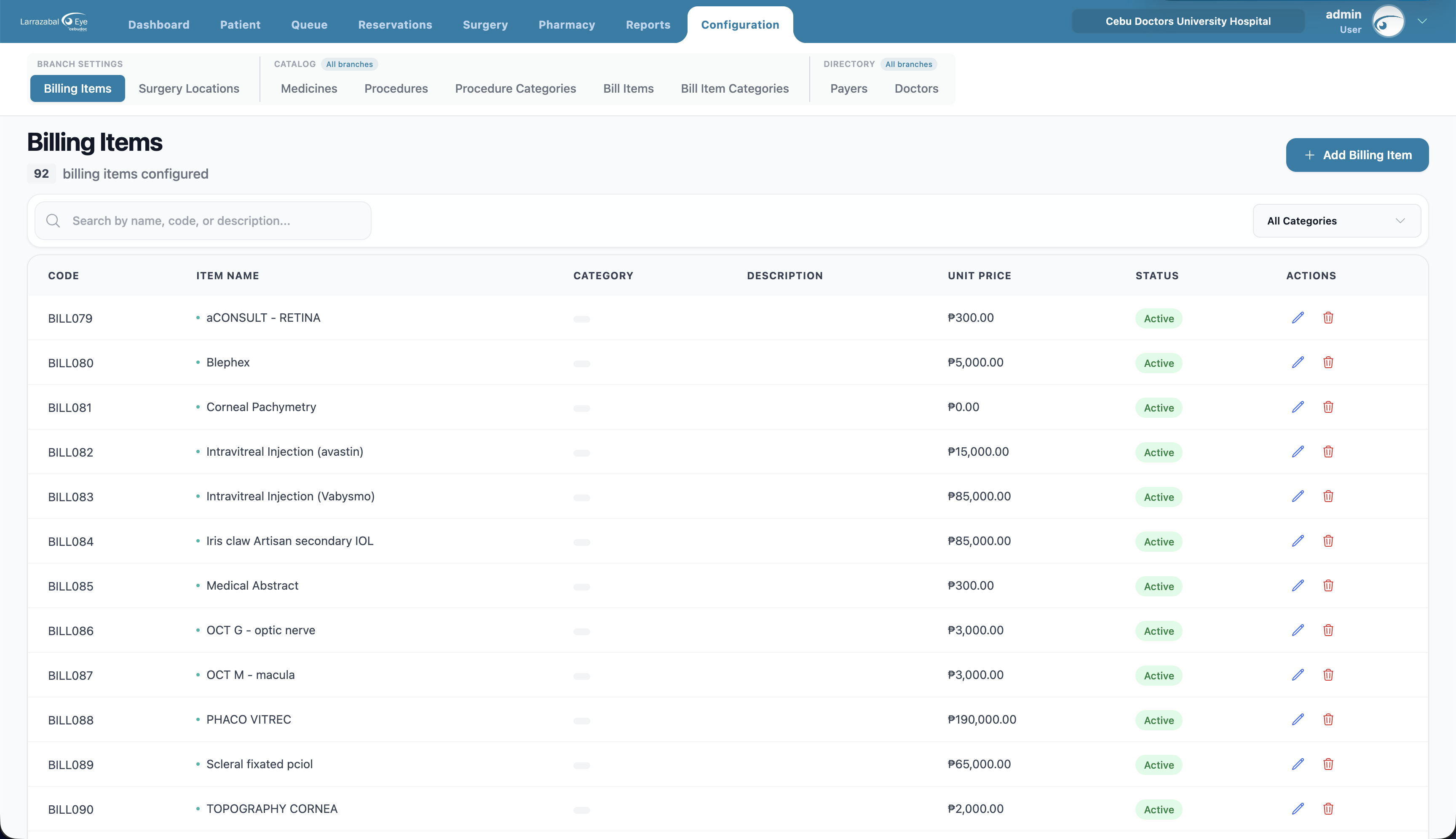
Columns: Code, Item Name, Category (color-coded), Description, Unit Price, Status, Actions.
Filters: search by name/code/description; filter by category.
Add Billing Item: pick the Bill Item from the catalog list, enter the Price, and set the Status.
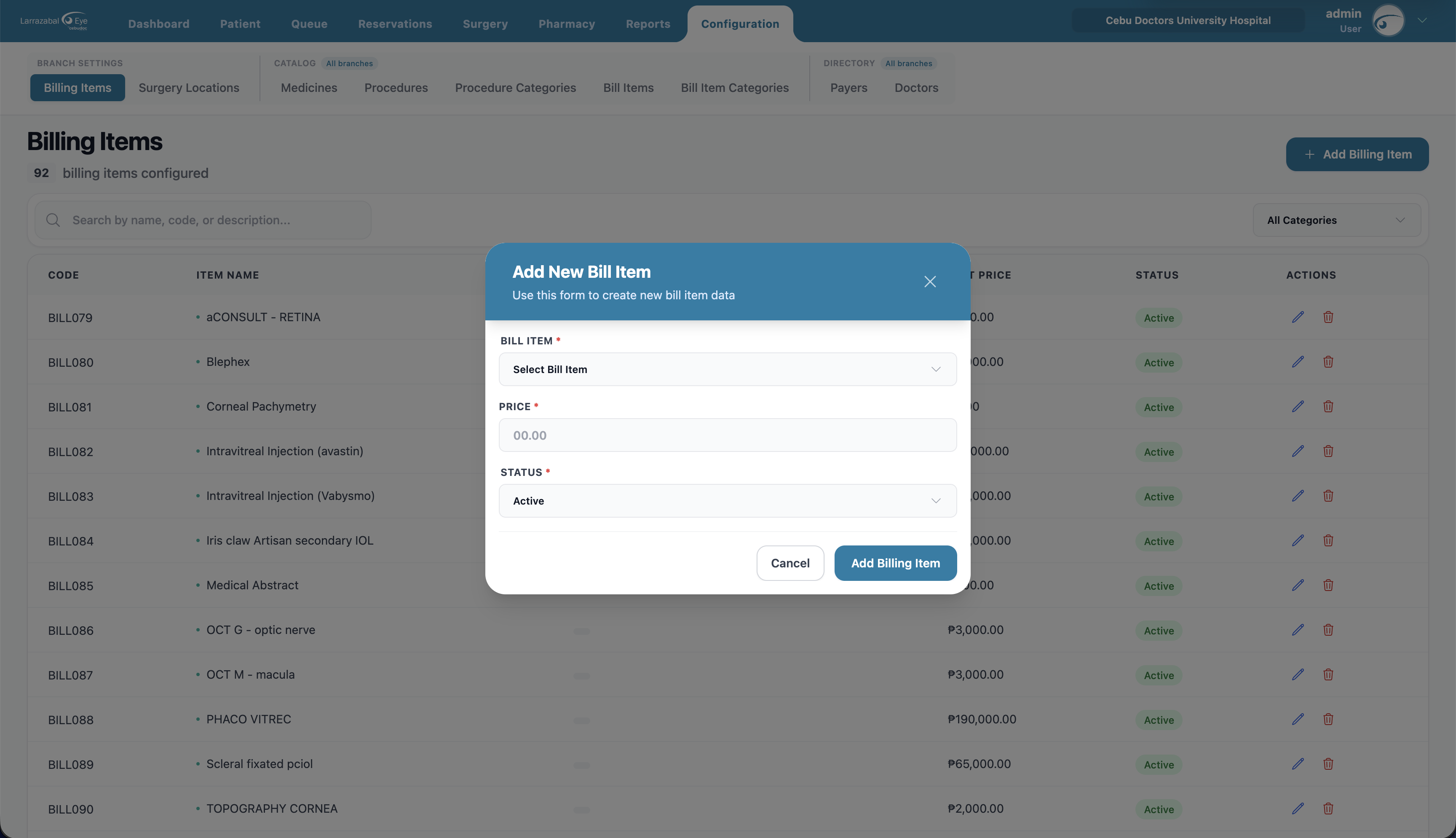
If an item you need isn't in the picker, add it first under Catalog → Bill Items.
Surgery Locations
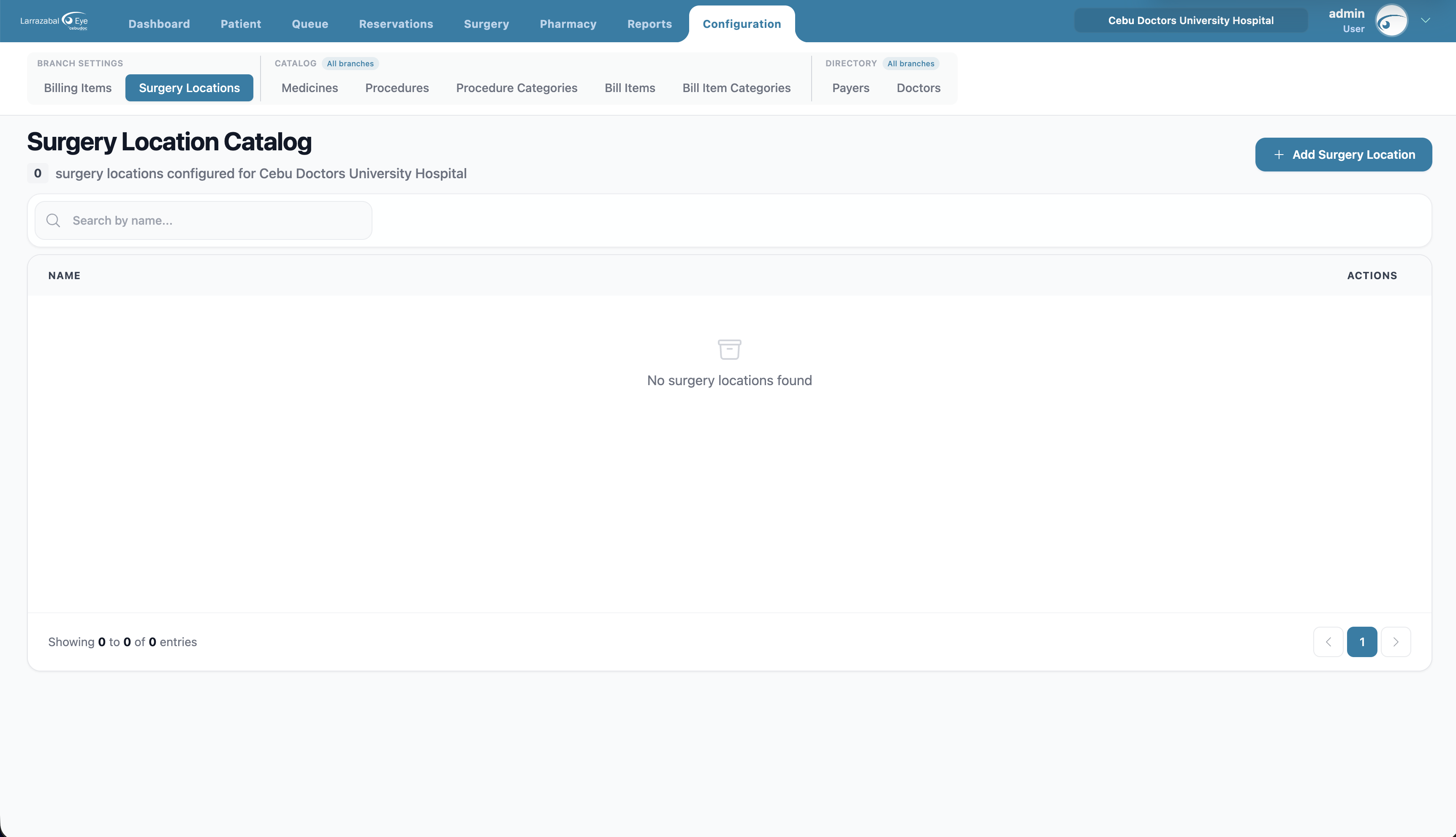
Operating rooms and surgical areas. These are specific to the selected branch — switch branches using the selector in the top bar before adding locations. If no branch is selected, the page asks you to pick one first.
Columns: Name, Actions.
Add Surgery Location: just a Name (e.g. "Operating Room 1").
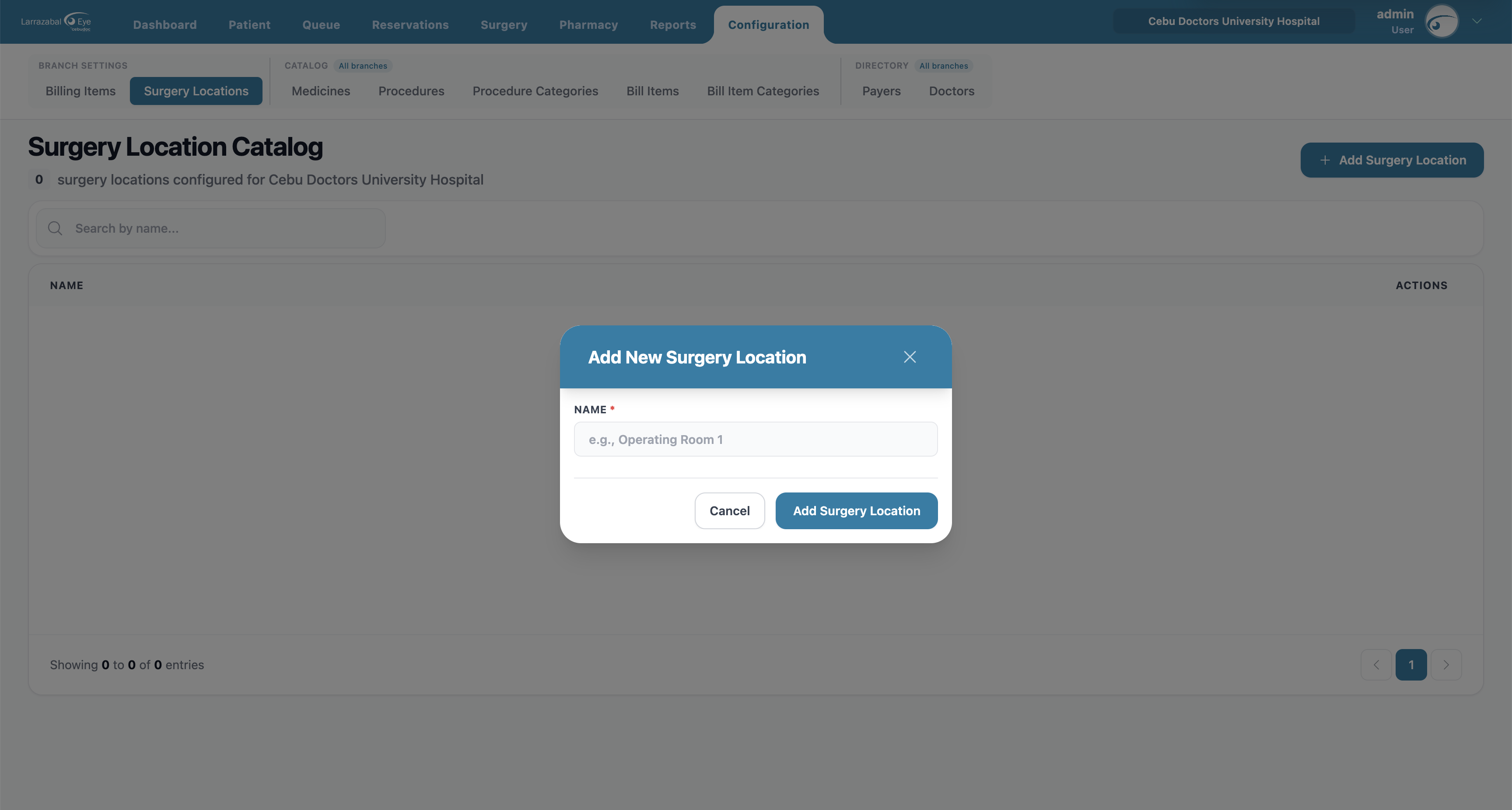
Changing the active branch reloads this list for that branch.
Medicines
The catalog of medicines (used in pharmacy and billing across the whole clinic).
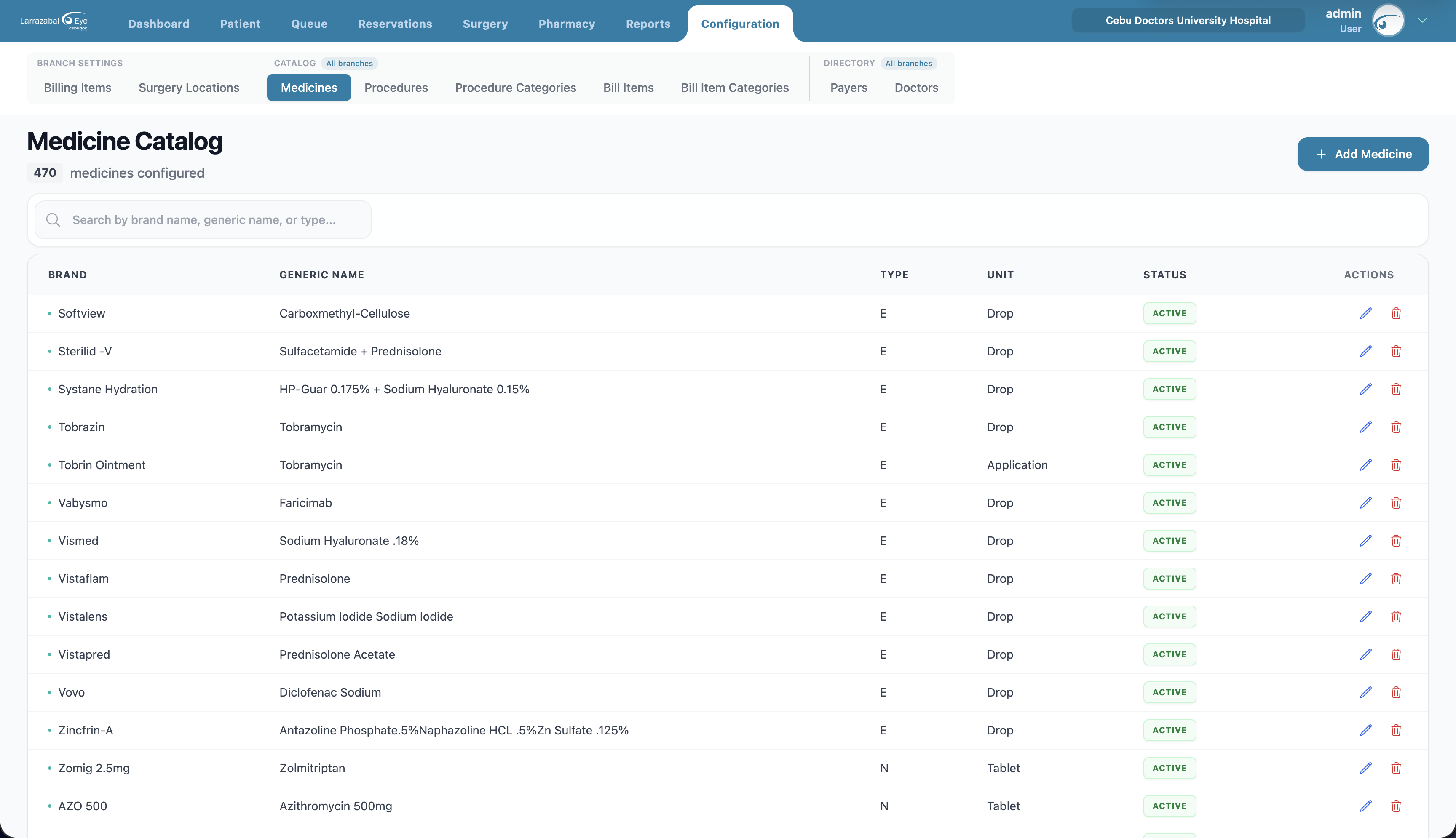
Columns: Brand, Generic Name, Type, Unit, Status, Actions.
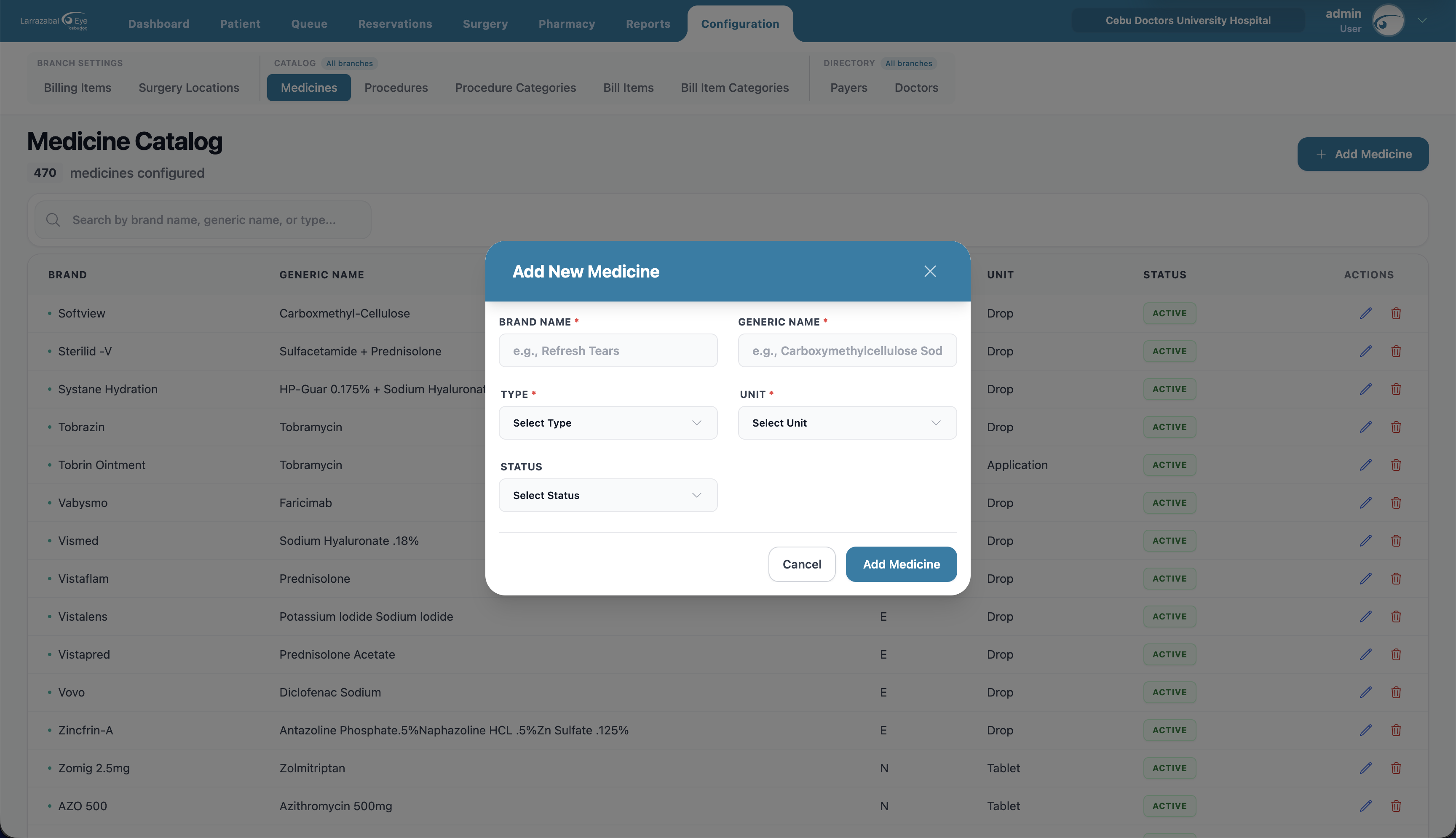
Add Medicine: Brand Name, Generic Name, Type (capsule, tablet, liquid, …), Unit (drop, tablet, application, …), Status (Active / Inactive).
Procedures
Surgical and medical procedures offered by the clinic.
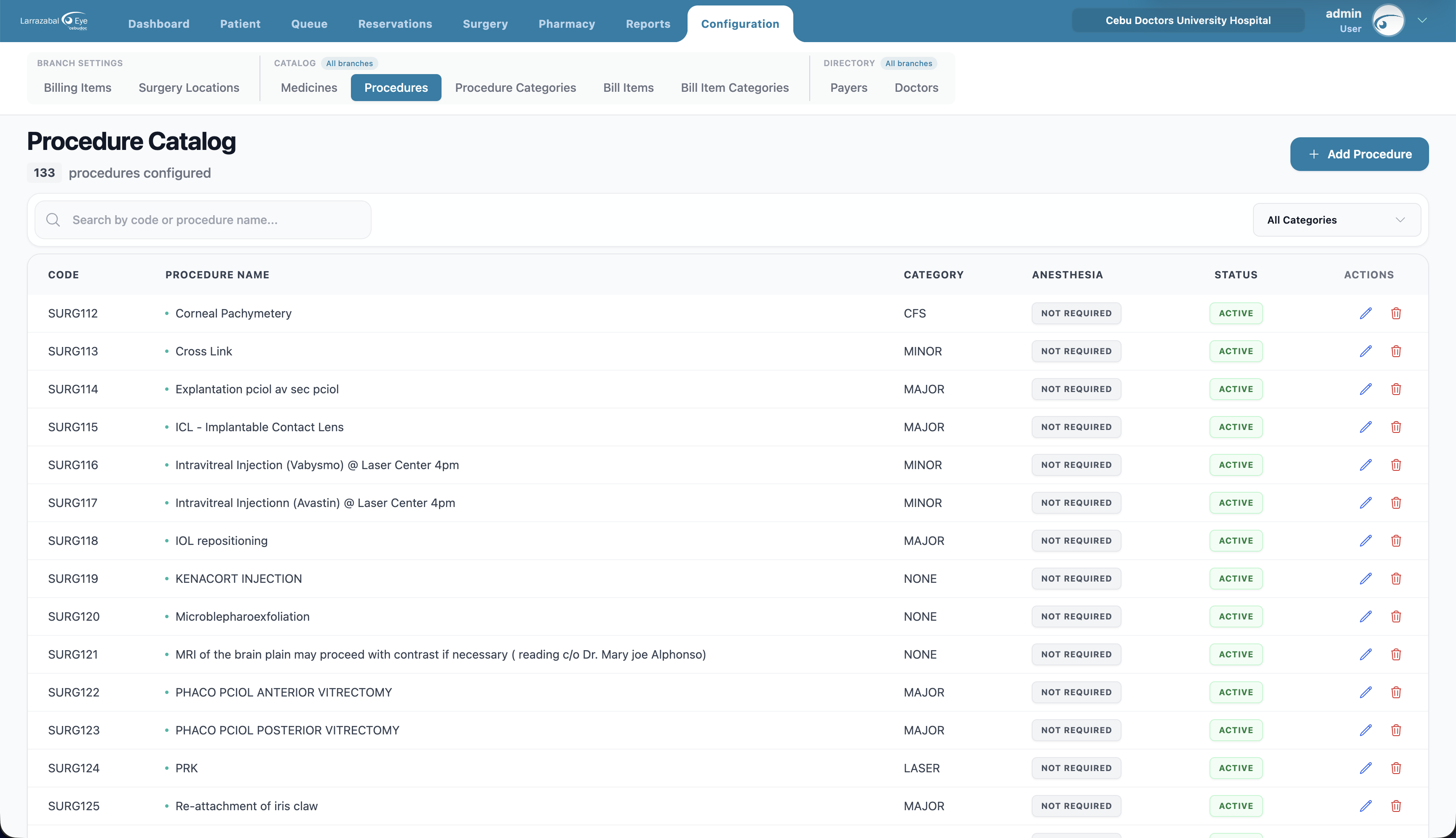
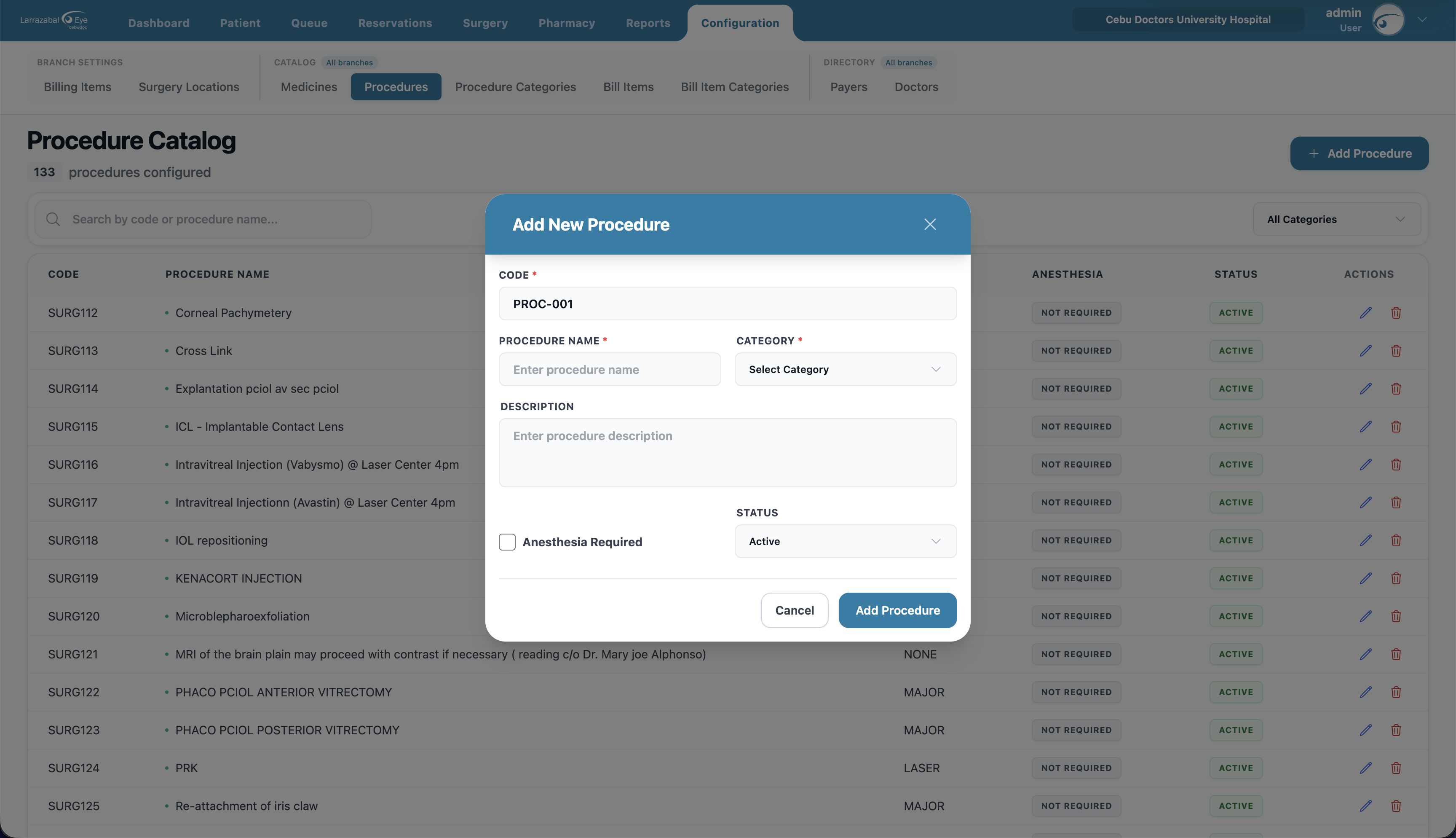
Columns: Code (auto-generated, e.g. SURG112), Procedure Name, Category, Anesthesia (Required / Not Required), Status, Actions.
Add Procedure: the Code is filled in automatically; enter Procedure Name, Category (picked from the Procedure Categories list), an optional Description, tick Anesthesia Required if it applies, and set Status.
Procedure Categories
The master list of categories used to group procedures (e.g. LASER, MAJOR, MINOR, NONE, CFS, LEG).
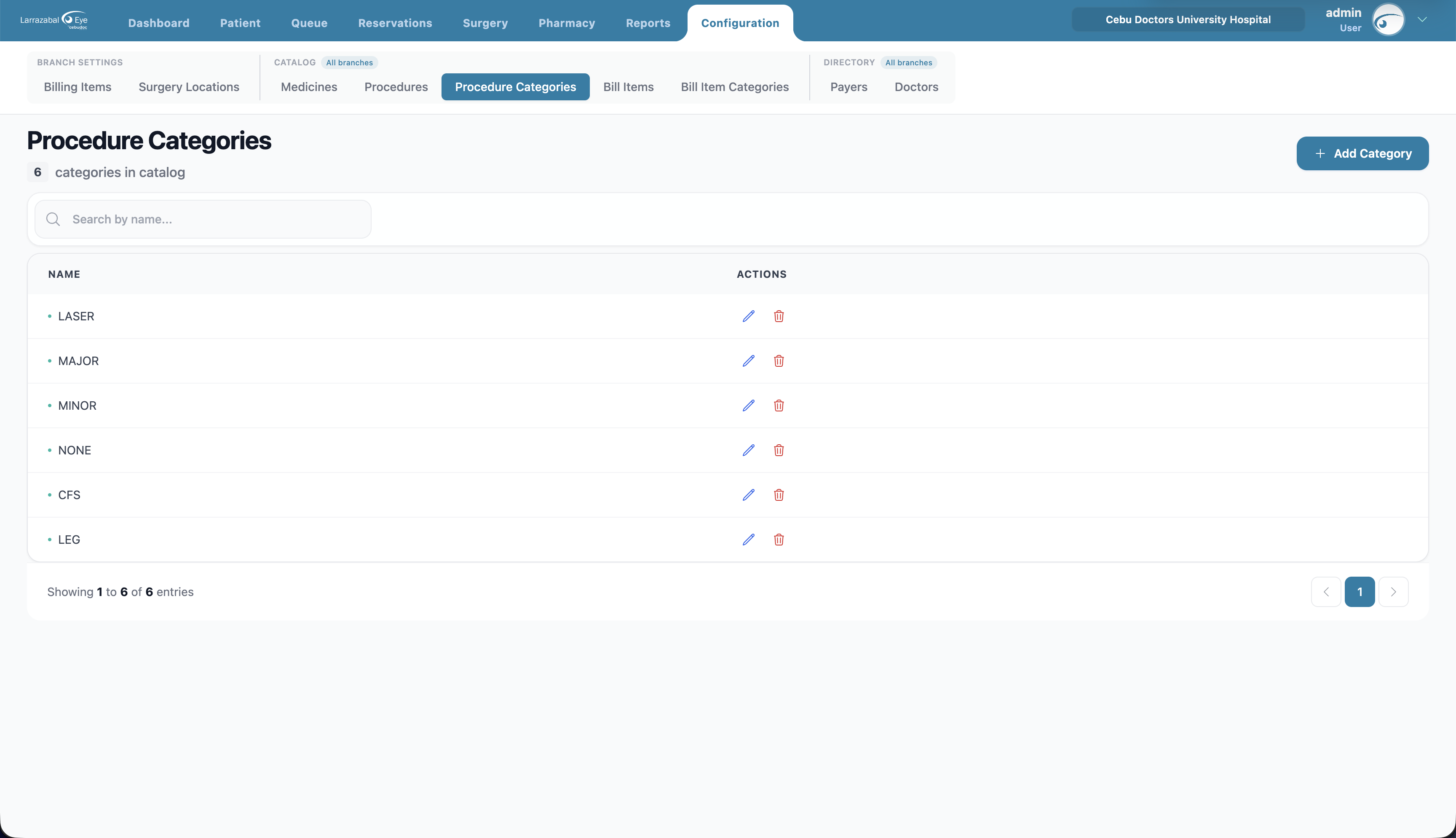
Columns: Name, Actions.
Add Category: just a Name (e.g. "Cataract"). A category that's still attached to a procedure can't be deleted.
Bill Items (global catalog)
The full list of billable items the clinic recognizes (Professional Fee, Diagnostic Test, Facility Fee, Document Fee, Nursing Service, Supplies, etc.). This is the catalog Billing Items (above) picks from when setting per-branch prices.
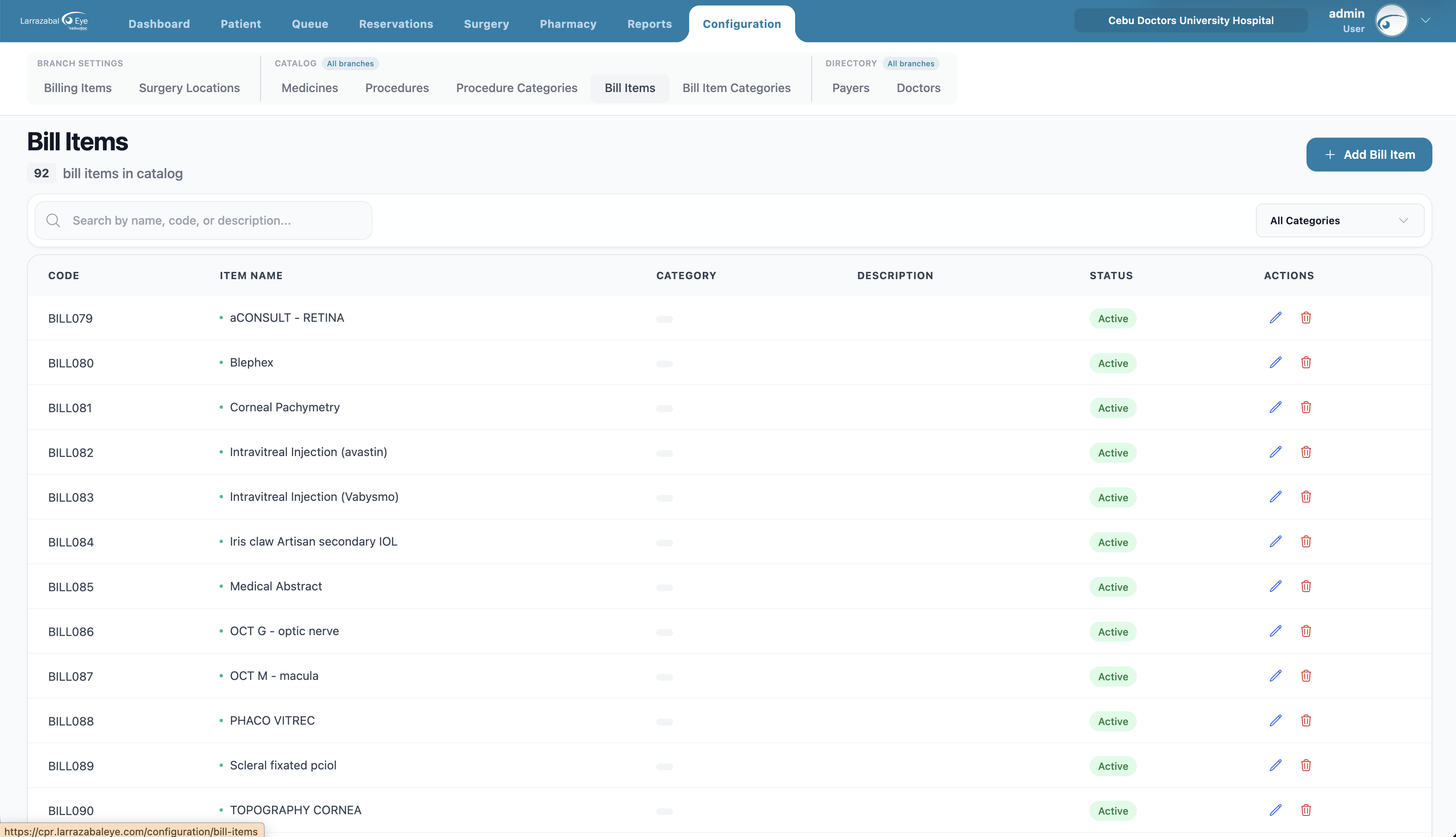
Columns: Code (auto-generated, e.g. BILL079), Item Name, Category, Description, Status, Actions.
Filters: search by name/code/description; filter by category.
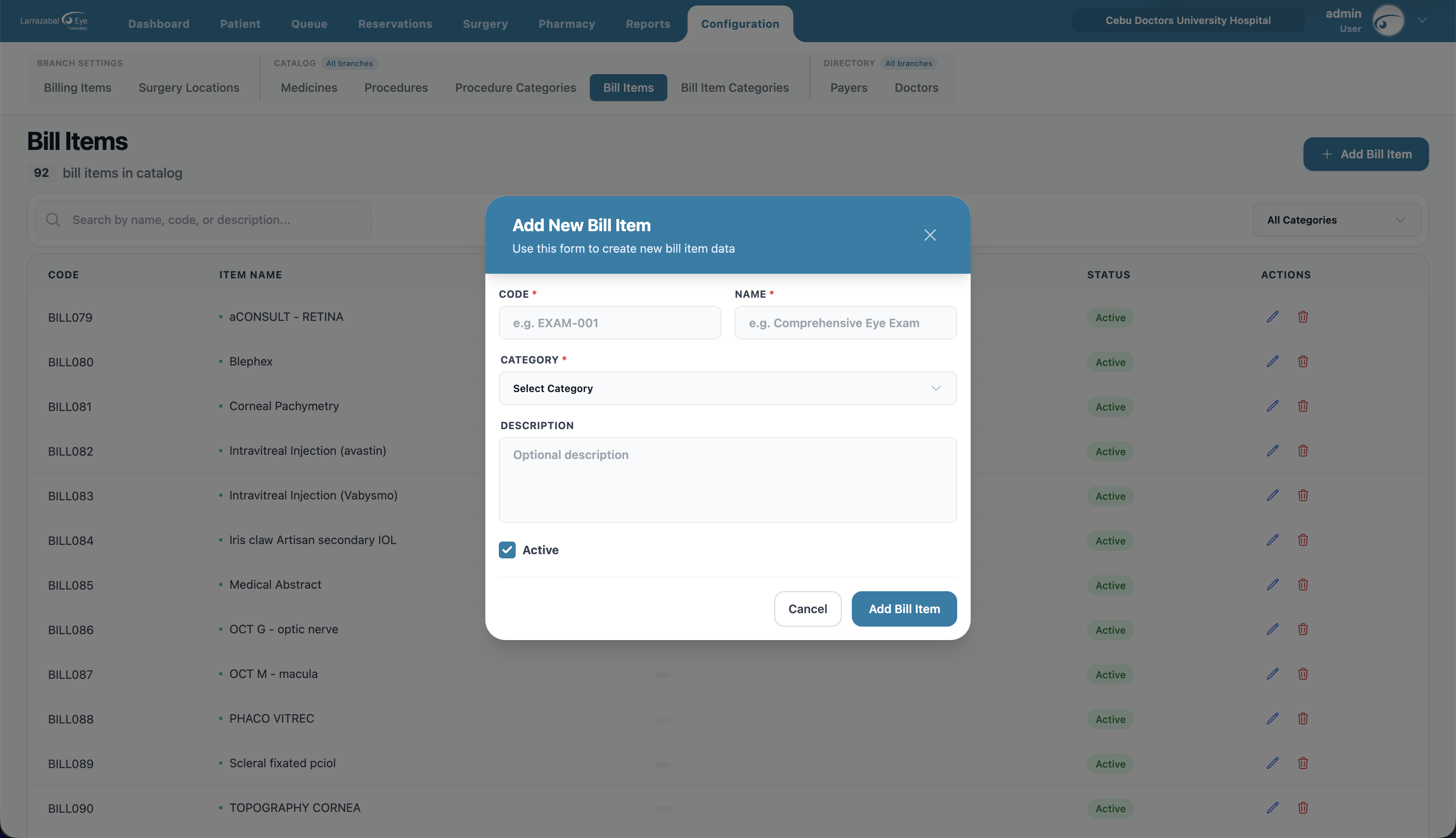
Add Bill Item: Code, Name, Category (picked from Bill Item Categories), optional Description, Active toggle.
Bill Item Categories
Categories used to group bill items in the catalogs and reports.
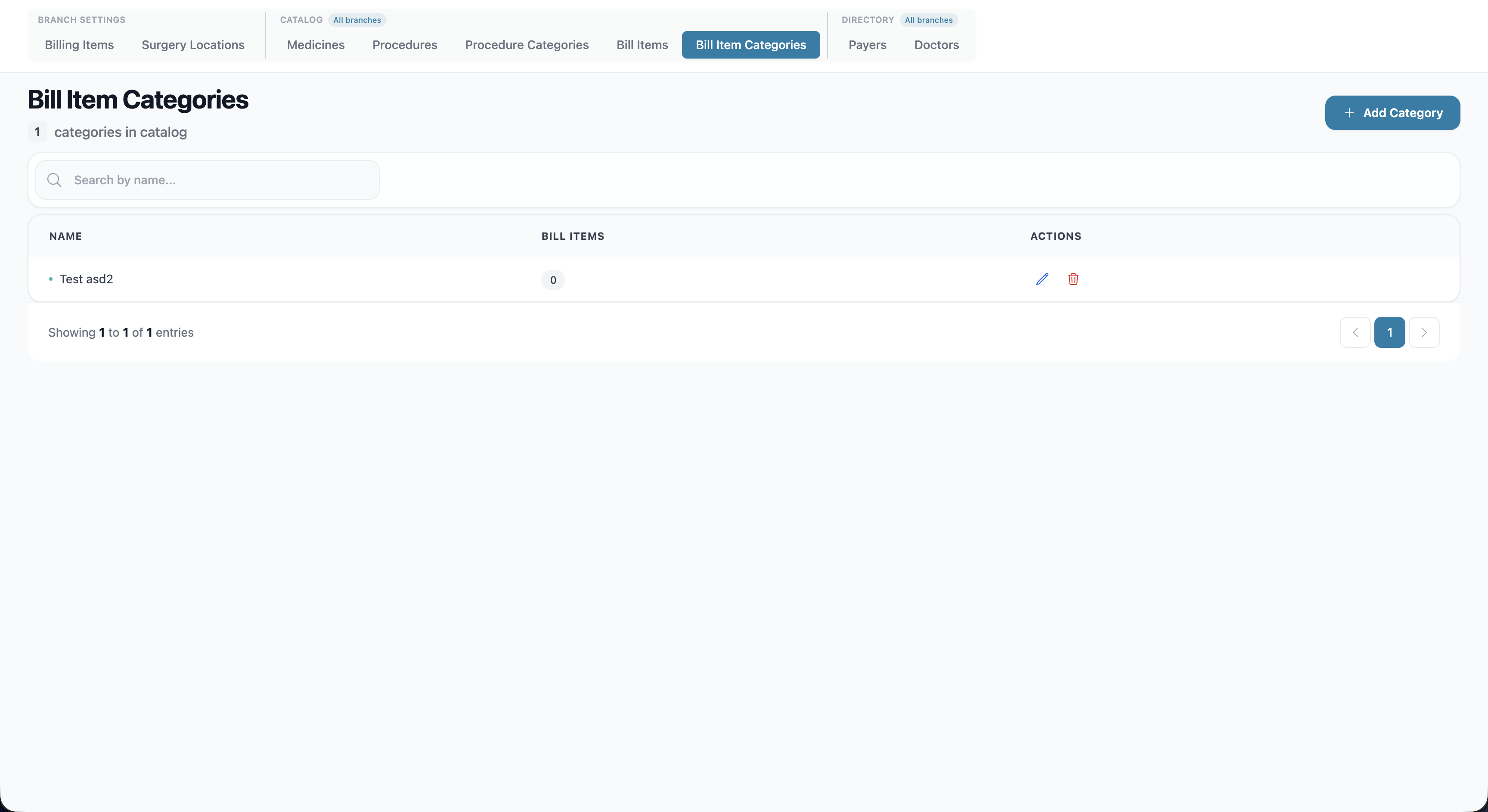
Columns: Name, Bill Items (count of items currently in the category), Actions.
Add Category: just a Name (e.g. "Laboratory"). A category that's still attached to a bill item can't be deleted.
Payers (insurance companies)
Insurance companies and HMOs that cover part of patients' bills.
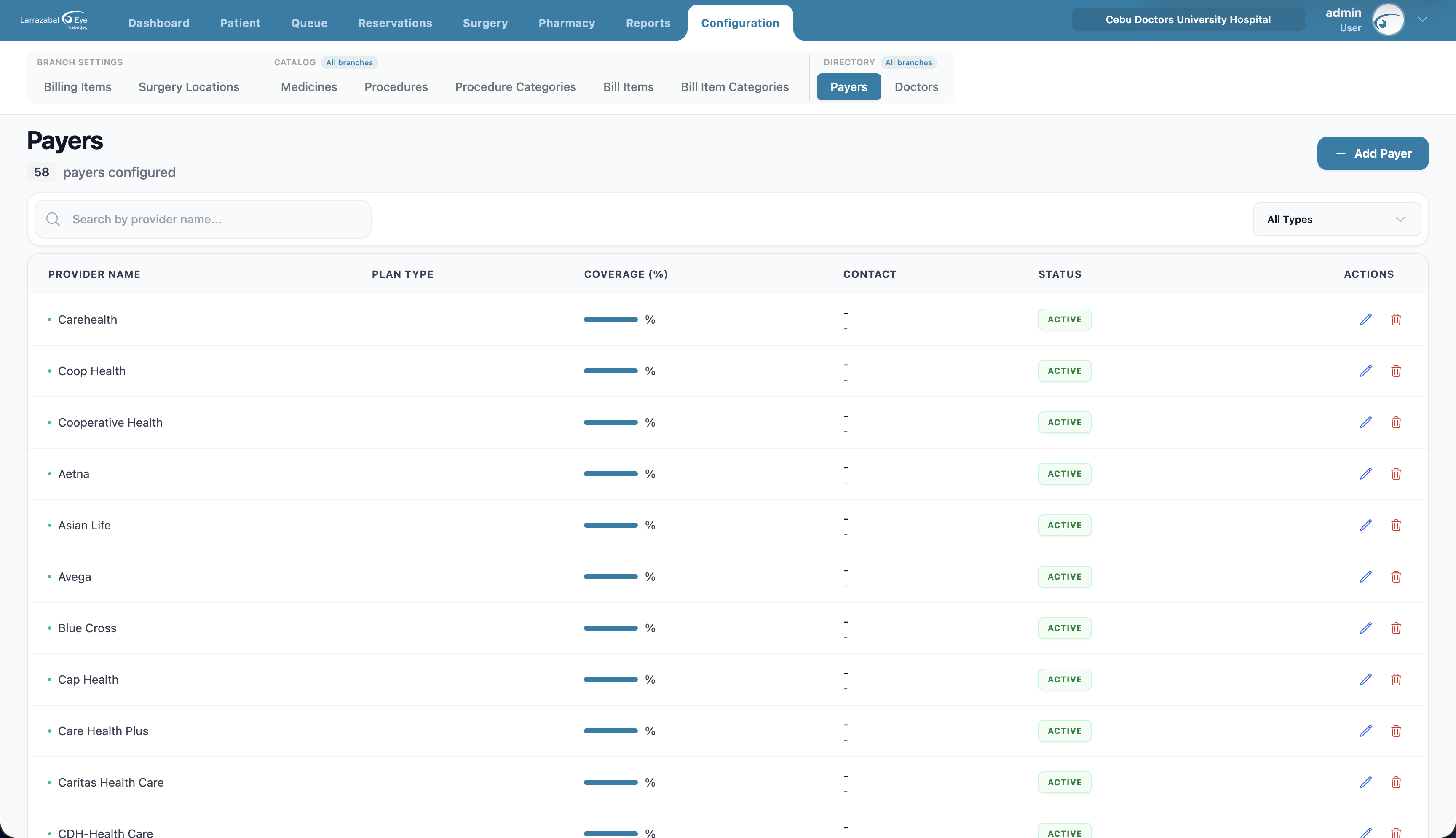
Columns: Provider Name, Plan Type, Coverage (%), Contact (email + phone), Status, Actions.
Filters: search by provider name; filter by plan type.
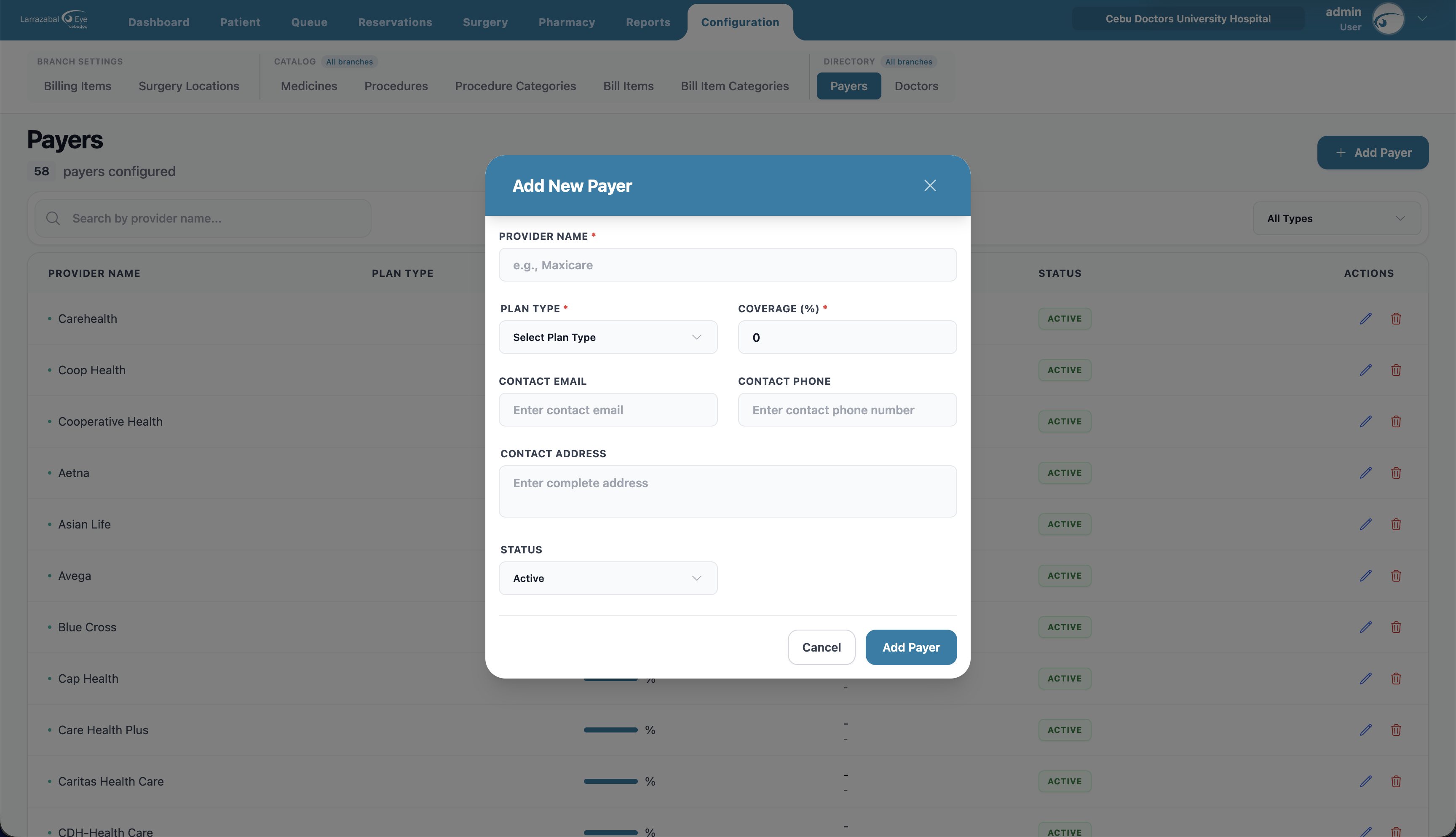
Add Payer: Provider Name, Plan Type, Coverage (%) (0–100), optional Contact Email, Contact Phone, and Contact Address, and Status.
Doctors
The registry of doctors and medical staff (used in surgeries, certificates, prescriptions). This is a clinic-wide directory shared across branches.
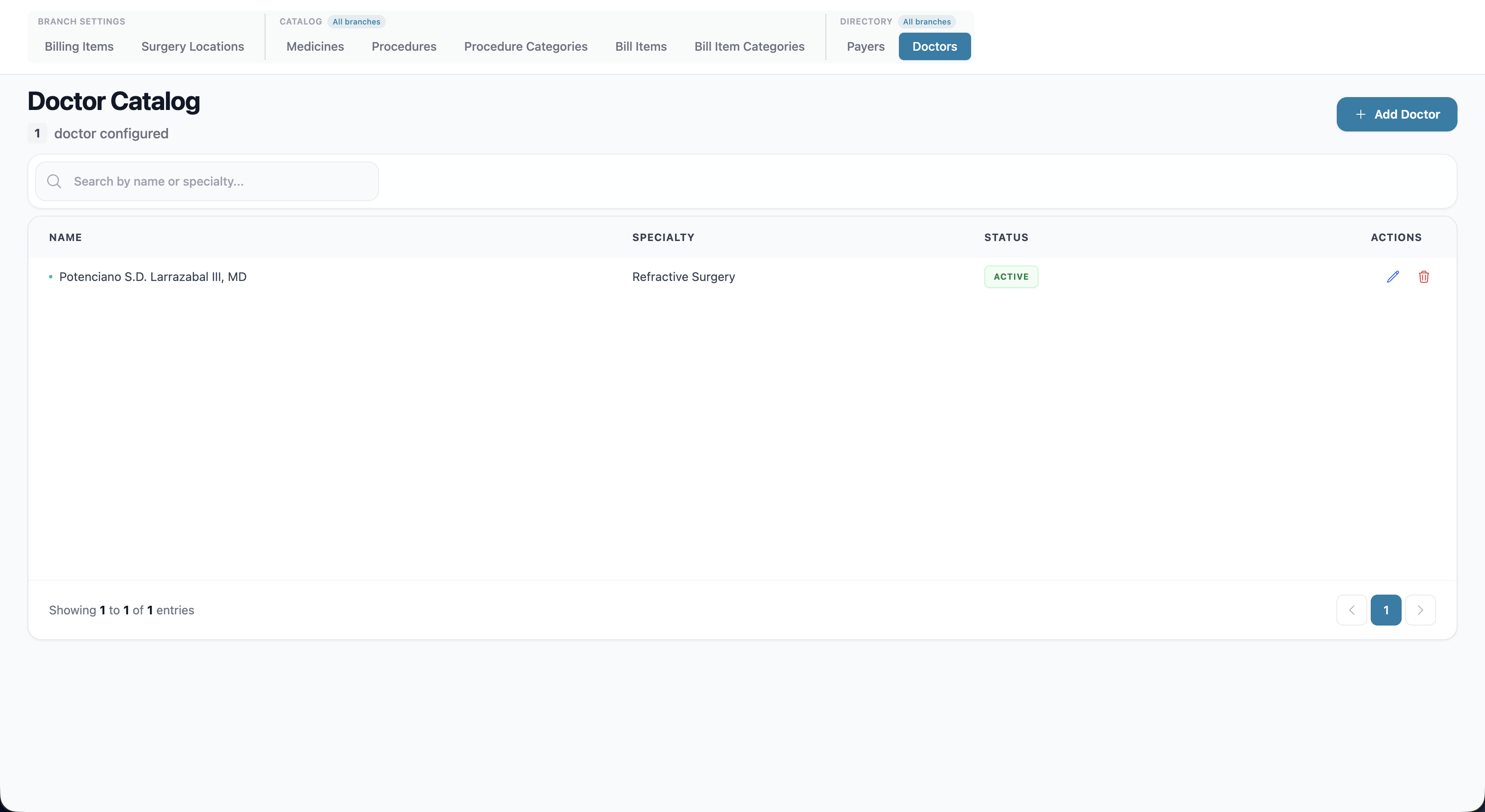
Columns: Name, Specialty, Status, Actions.
Search: by name or specialty.
Add Doctor: First Name, Last Name, optional Middle Name, Specialty (e.g. Refractive Surgery, Ophthalmology), optional Subspecialty, License No., PTR No., S2 No., Status, and a Signature — either draw it on the canvas (with a Clear button to redo) or upload an image. The signature is used on printed documents.