
Reports
The Reports tab gathers the clinic's financial and certificate reports. The sub-tabs are grouped into two sections:
Transactions
- Billing — patient balances (charged, paid, outstanding).
- Payers — billing rolled up per insurance company / HMO.
- Transaction List — every queue and pharmacy transaction.
- Transaction by Doctor — daily or monthly totals for a chosen doctor.
Certifications
- Medical Certificate — fit-to-work / sickness certificates.
- Consultation Certificate — consultation-record certificates.
- Admitting — admitting orders for hospital admission.
- Referral — referrals to other doctors or facilities.
You only see the tabs your account is allowed to open. On a small screen the submenu collapses into a single dropdown. Each report can be filtered and printed.
To print any report, click its Print (or Print Report) button. The system gathers all the matching rows, lays them out as a printable page (title, the filters you applied, the table, and totals), and opens your browser's print dialog — choose a printer or "Save as PDF".
Billing (balances)
Shows each patient's total charged, total paid, and outstanding balance.
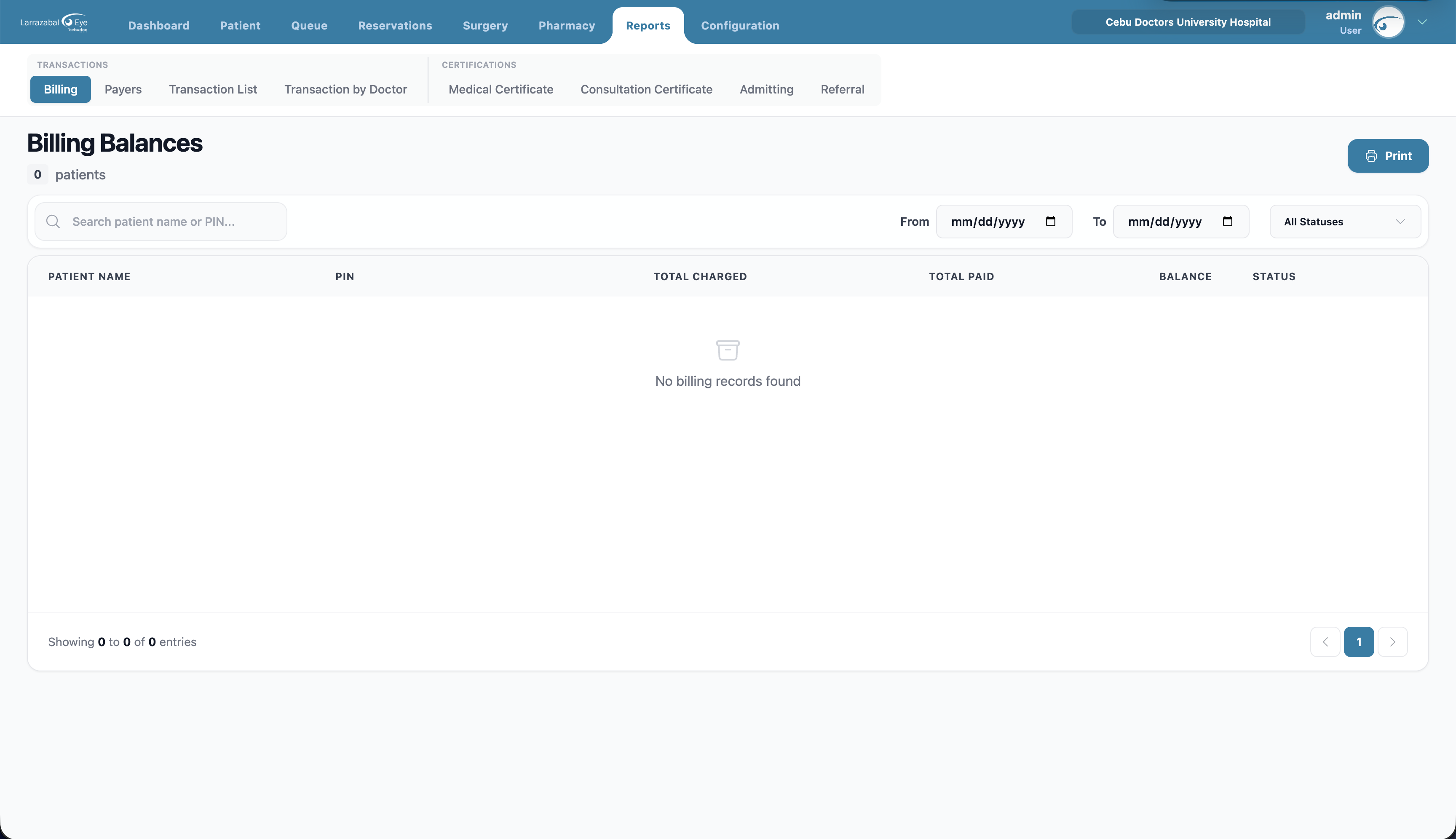
Filters: search by patient name or PIN; From Date / To Date; Status — All, Balance (still owes), Advance (paid ahead), or Settled (paid in full).
Columns: Patient Name, PIN, Total Charged, Total Paid, Balance (red = owes, blue = advance, green = settled), Status.
Click any row to open a detailed view of that patient's transactions. Click Print to print the filtered list.
Transaction List
A combined list of all transactions, split into two sections — Queue transactions (from clinic visits) and Pharmacy transactions — followed by a summary.
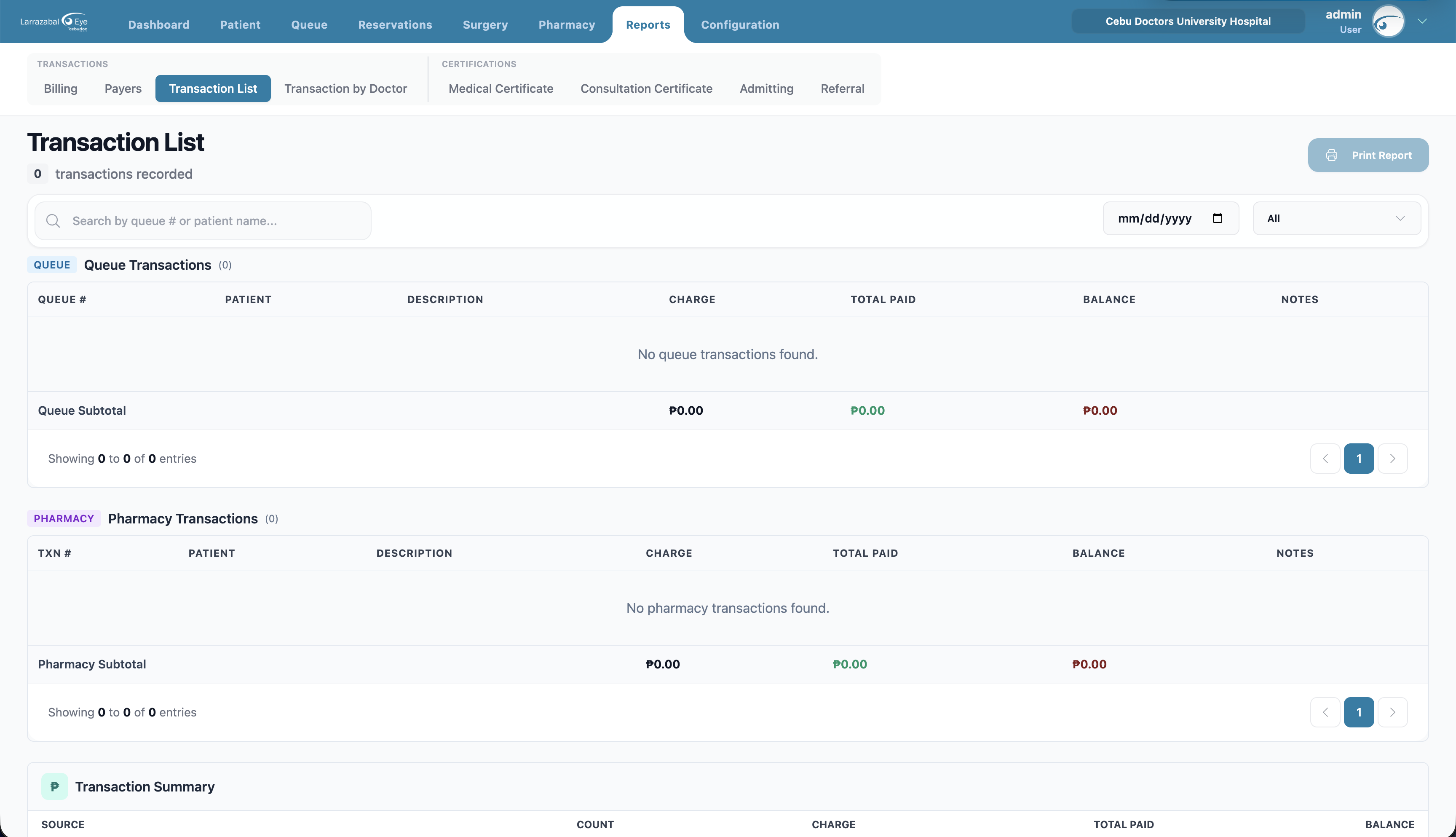
Filters: search by queue/transaction number or patient; a specific date; Status — All, Paid, Partial, Pending, Cancelled.
Each section lists: the queue or transaction number, patient (with photo and time), description, charge, total paid, balance, and a status badge, with a subtotal row. The two sections page independently.
Transaction Summary at the bottom shows counts and totals for Queue, for Pharmacy, and a Grand Total.
Click Print Report to print both sections plus the summary.
Transaction by Doctor
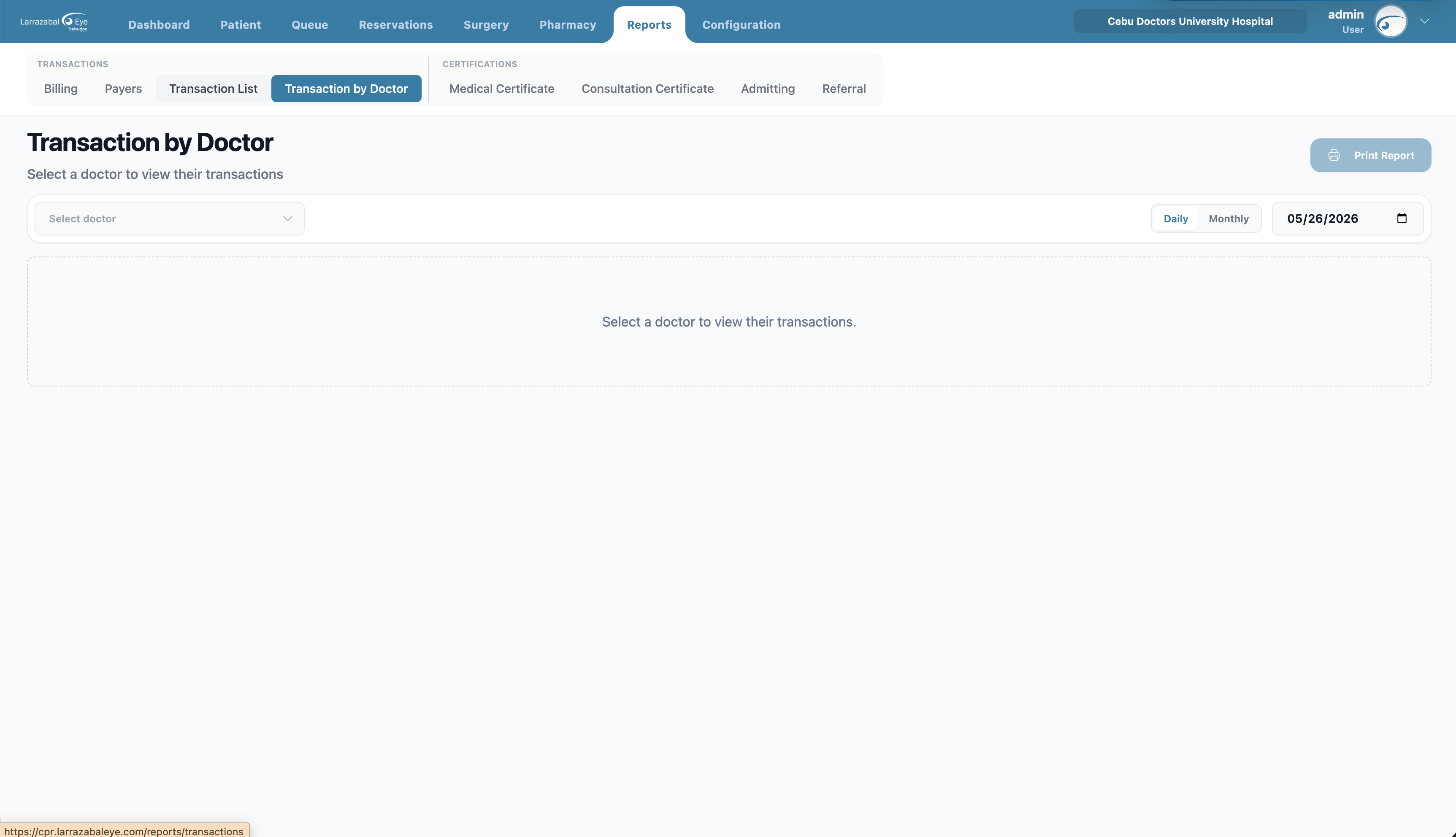
Per-doctor totals and breakdowns. Useful for paying professional fees and tracking each doctor's contribution.
Filters:
- Doctor — a typeahead picker. Until you pick one the page reads "Select a doctor to view their transactions".
- Daily / Monthly toggle.
- Date (Daily) or Month (Monthly) picker.
Summary cards: Charged, Paid, Outstanding, Transactions, Patients.
Daily table: Time, Patient, Service, Charge, Paid, Balance, Charge To (the payer / insurance, or "—").
Click Print Report to print a clean printable version of the summary and the daily table for the chosen period.
Payers
Shows how much business each insurance company / HMO represents and how much they still owe.
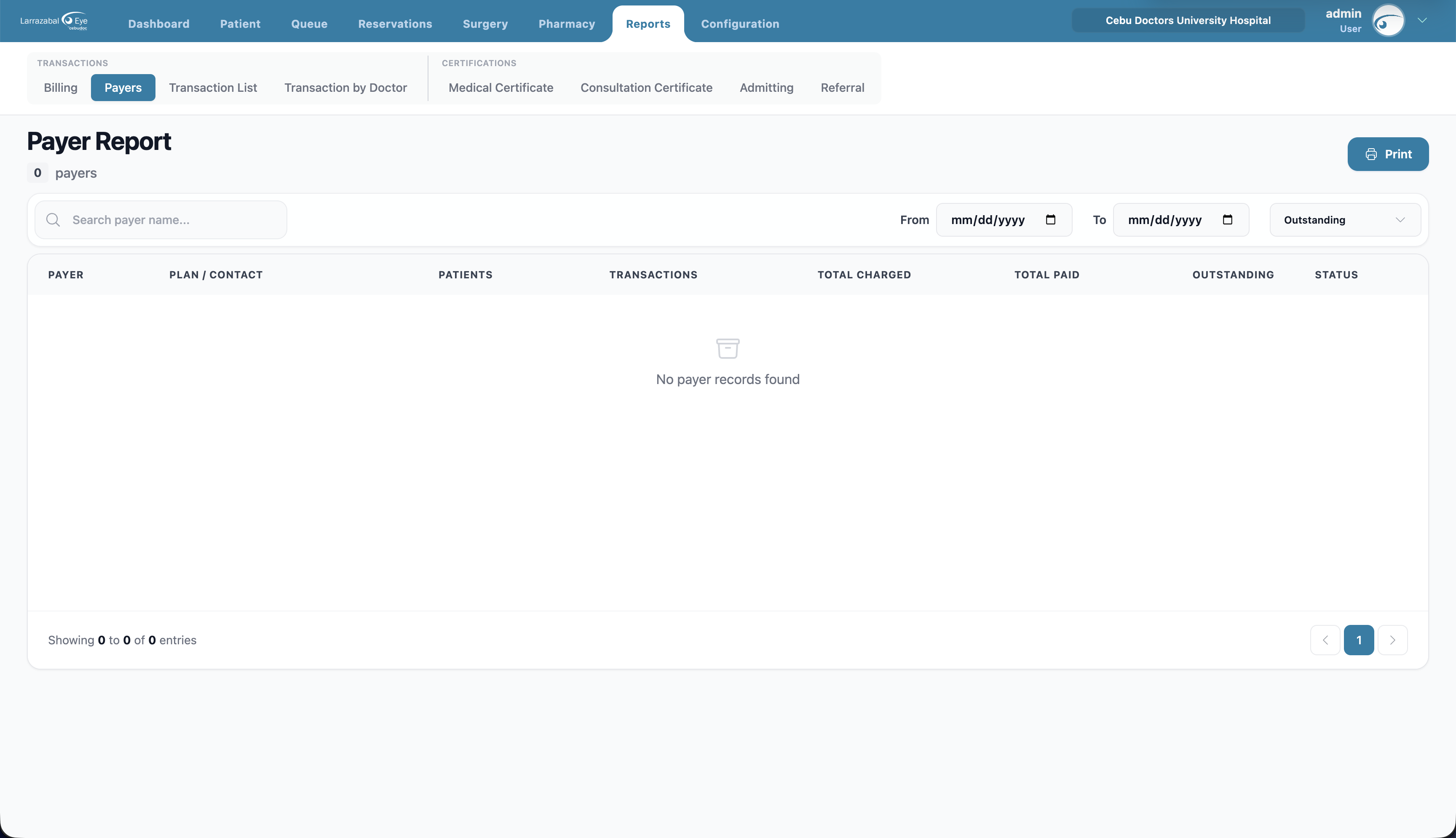
Filters: search by payer name; From Date / To Date; Status — Outstanding (default), Settled, or All.
Columns: Payer, Plan / Contact (plan type, email, phone), Patients (count), Transactions (count), Total Charged, Total Paid, Outstanding, Status.
Click a row to drill into that payer's patient‑by‑patient breakdown. Click Print to print the report.
Medical Certificate
Lists medical certificates issued to patients, and lets you create, edit, and delete them.
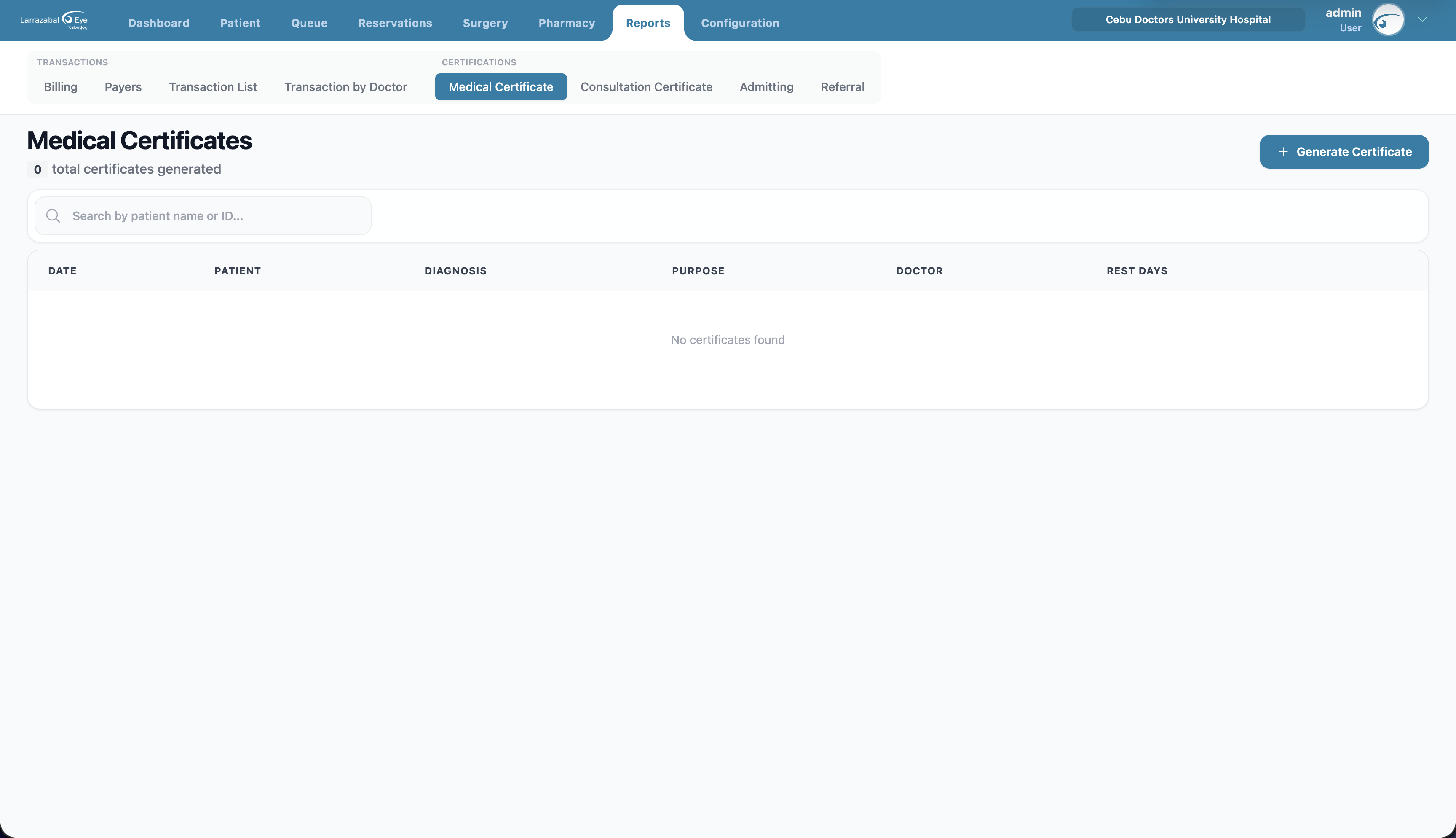
Search: by patient name or ID.
Columns: Date, Patient (name and PIN), Diagnosis, Purpose, Doctor, Rest Days, and an eye icon to preview.
Generating a certificate
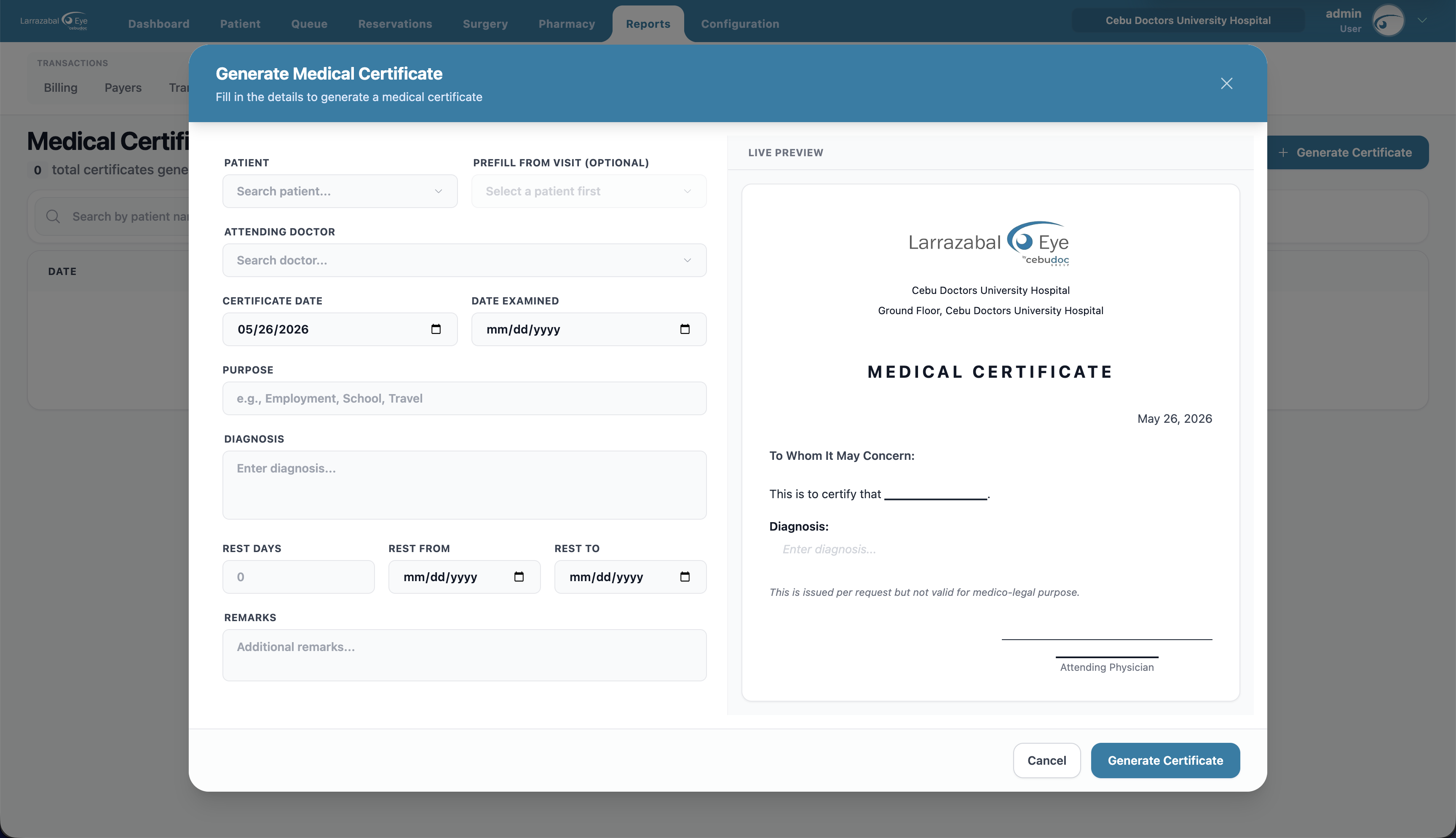
Click + Generate Certificate and fill in the form (the right side shows a live preview that updates as you type):
- Patient — searchable.
- Prefill from Visit (optional) — pick one of the patient's past visits to pre-fill diagnosis/purpose from that visit's notes.
- Attending Doctor — picks up the doctor's signature for the printout.
- Certificate Date (defaults to today) and Date Examined.
- Purpose (e.g. Employment, School, Travel) and Diagnosis.
- Rest Days plus Rest From / Rest To date range.
- Remarks — additional notes.
The preview includes a "This is issued per request but not valid for medico-legal purpose." disclaimer. The footer is pinned so the Generate Certificate button is always visible.
Previewing, editing, and deleting
- Click the row or the eye icon to open the certificate preview. From there you can print the certificate.
- Use the pencil icon to edit a certificate (the form opens prefilled). Use the trash icon to delete; confirm in the dialog.
Consultation Certificate
Certificates that document a consultation — typically for school, work, or insurance records.
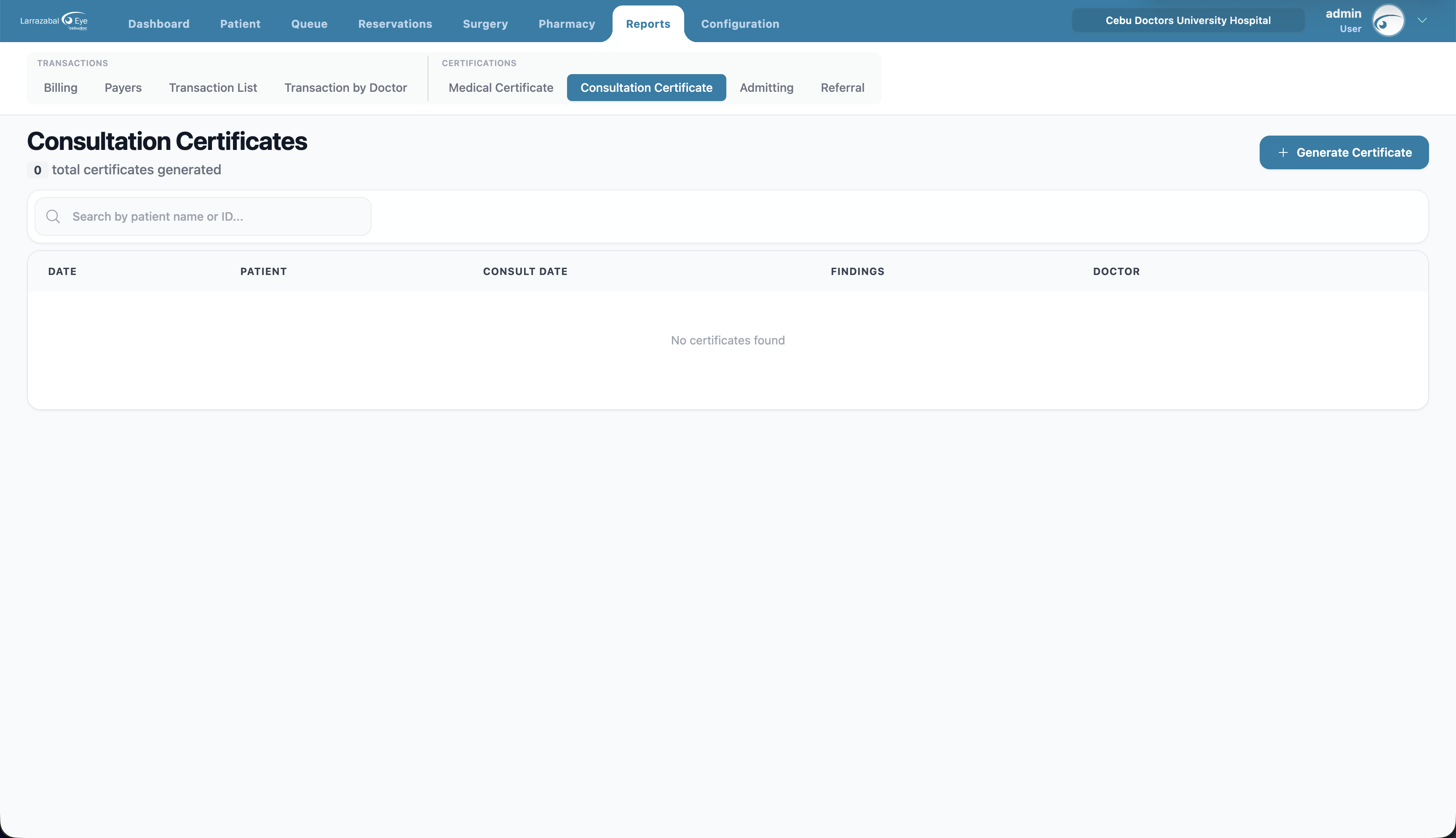
Columns: Date, Patient, Consult Date, Findings, Doctor.
Generate Consultation Certificate opens a generate modal with a live preview.
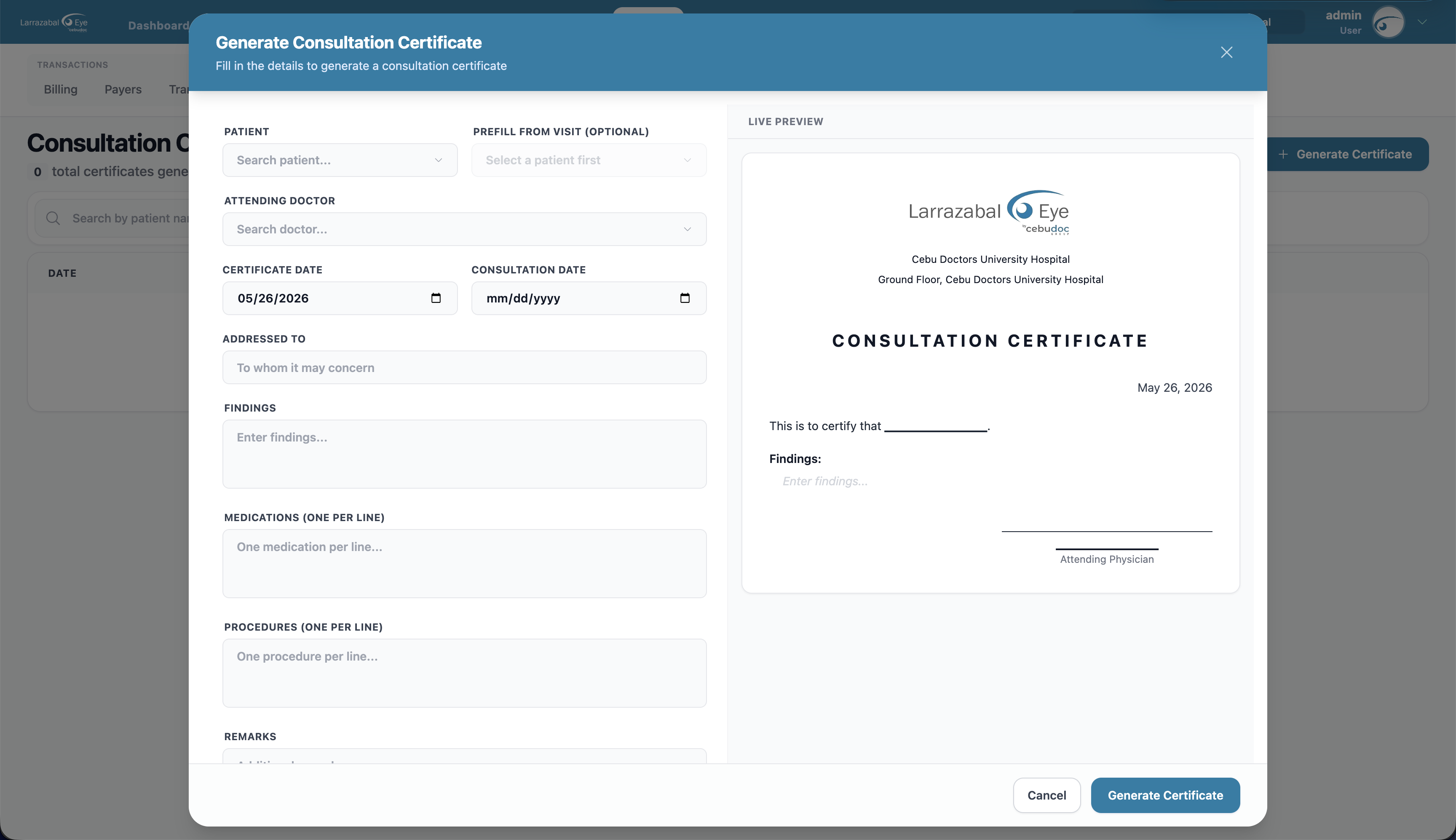
Fields:
- Patient, Prefill from Visit (optional), and Attending Doctor.
- Certificate Date and Consultation Date.
- Addressed To ("To whom it may concern" by default).
- Findings.
- Medications (one per line) and Procedures (one per line).
- Remarks.
Edit, delete, and preview from the row icons. Each certificate prints on its own template.
Admitting
Admitting orders sent to a hospital when a patient needs to be admitted.
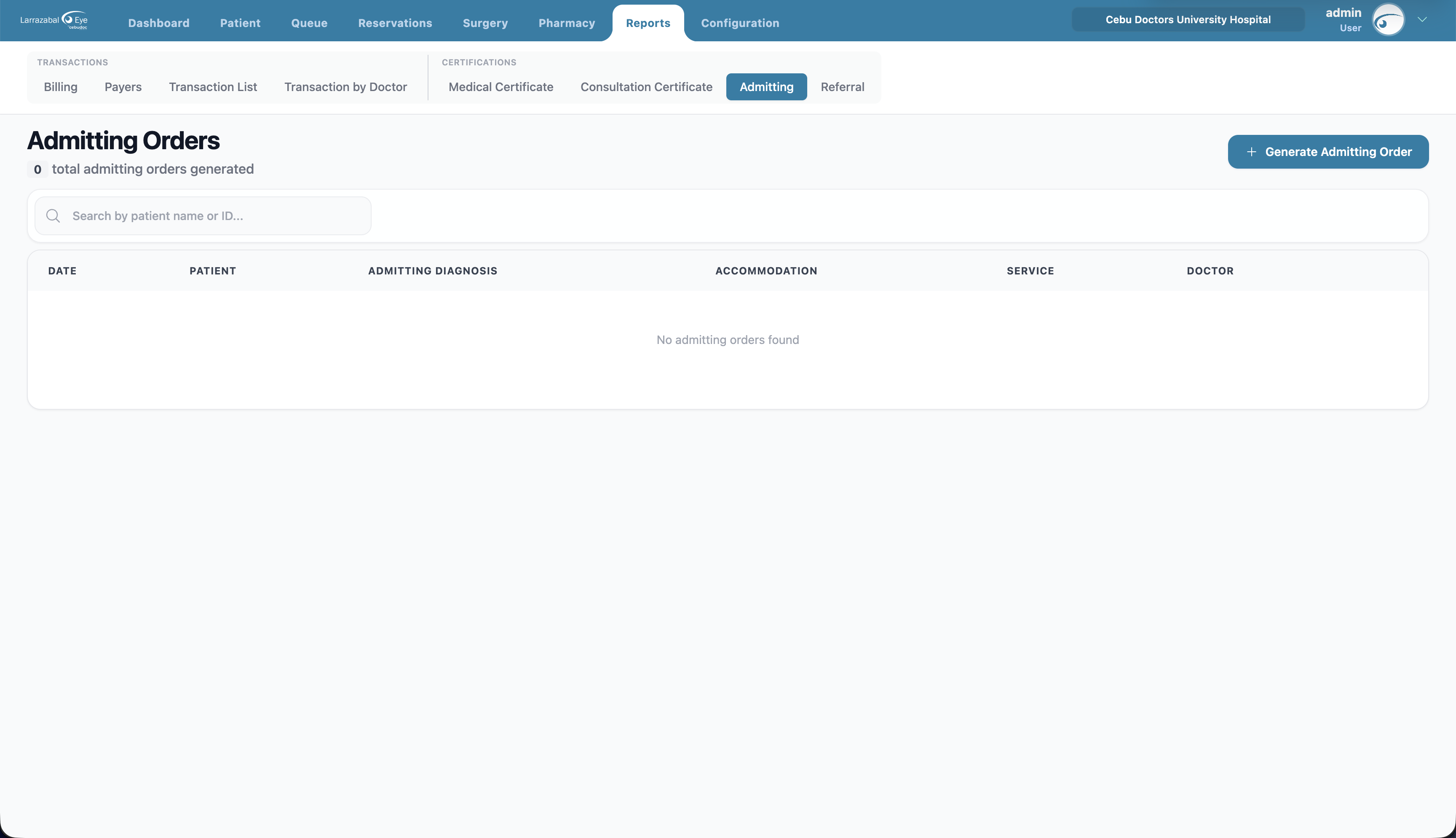
Columns: Date, Patient, Admitting Diagnosis, Accommodation, Service, Doctor.
Generate Admitting Order opens a generate modal with a live preview.
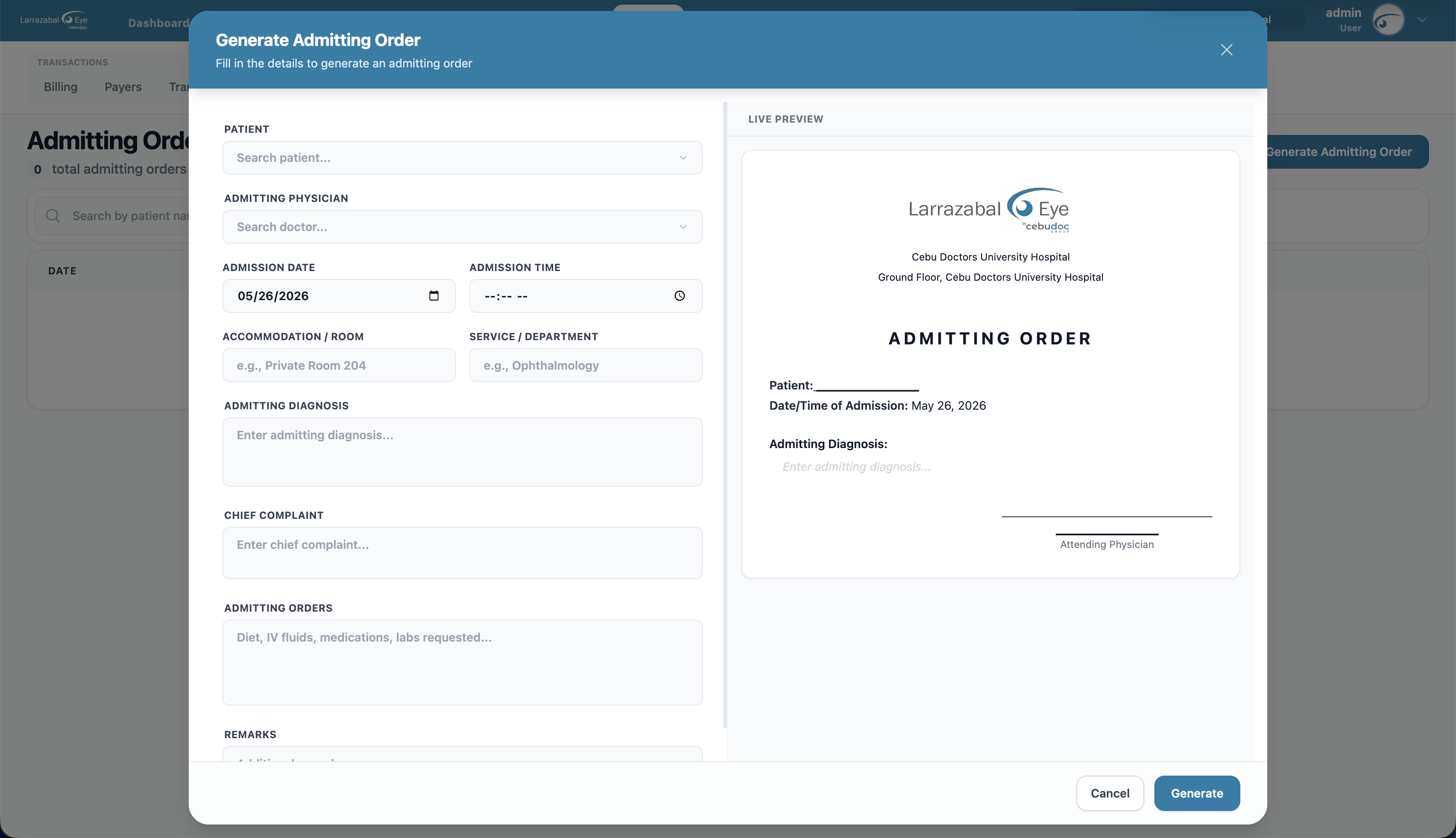
Fields:
- Patient and Admitting Physician.
- Admission Date and Admission Time.
- Accommodation / Room (e.g. "Private Room 204") and Service / Department (e.g. "Ophthalmology").
- Admitting Diagnosis and Chief Complaint.
- Admitting Orders — diet, IV fluids, medications, labs requested.
- Remarks.
Edit, delete, and preview from the row icons. The print template uses the actual recorded fields and the attending doctor's signature.
Referral
Referrals to another doctor or facility.
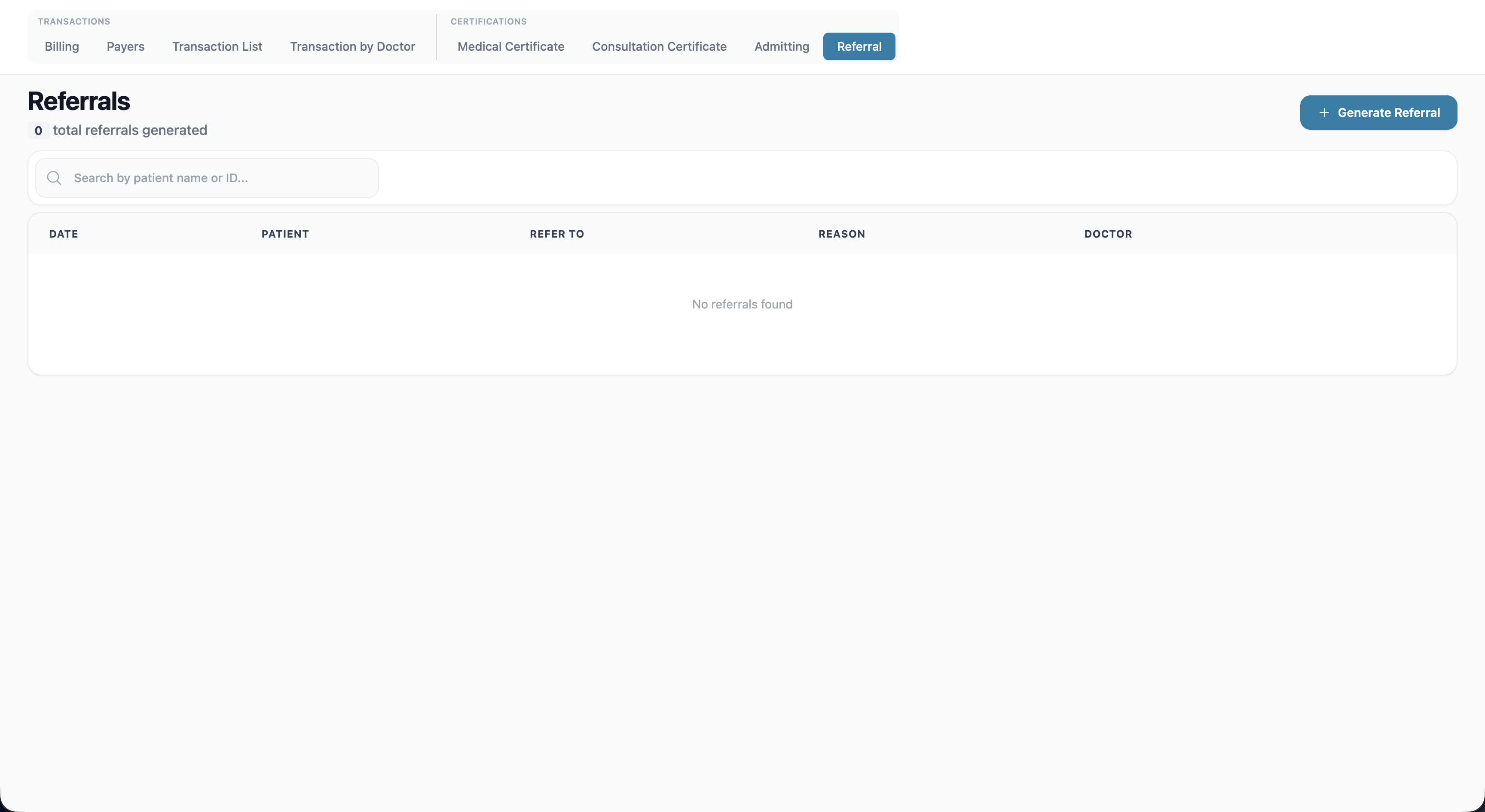
Columns: Date, Patient, Refer To, Reason, Doctor.
Generate Referral opens a generate modal with a live preview.
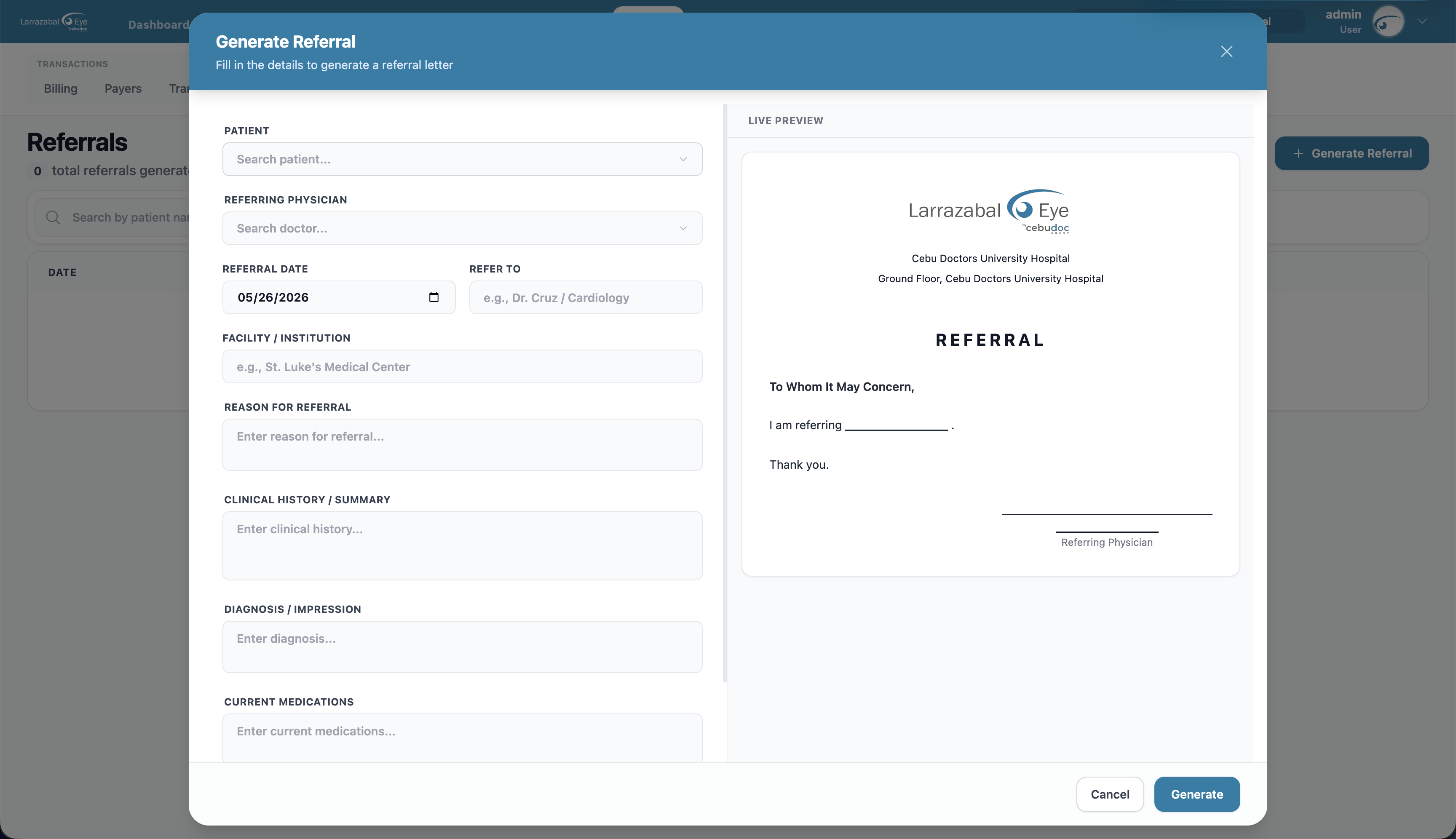
Fields:
- Patient and Referring Physician.
- Referral Date and Refer To (e.g. "Dr. Cruz / Cardiology").
- Facility / Institution (e.g. "St. Luke's Medical Center").
- Reason for Referral.
- Clinical History / Summary, Diagnosis / Impression, and Current Medications.
Edit, delete, and preview from the row icons. The print template renders the referral letter with the referring doctor's signature.
The Reports nav entry and each sub-tab are gated on granular permissions (
billing.access,payers.access,transaction-list.access,medical-certificate.access,consultation.access,admitting.access,referral.access,export-report.accessfor printing). If you have access to any report, the tab loads on the first one you're allowed to see.